Bridge
Introduction
The Hippius Bridge allows you to transfer tokens between the Bittensor network (Alpha) and the Hippius network (hAlpha). You can bridge in either direction:
- Alpha → hAlpha: Lock your Alpha tokens on Bittensor and receive hAlpha on Hippius
- hAlpha → Alpha: Burn your hAlpha tokens on Hippius and receive Alpha on Bittensor
Bridging takes approximately 120 seconds and is processed by a distributed network of Hippius guardians.
Accessing the Bridge
- Open the Wallet page.
- Click Bridge Tokens on the Bridge widget, or navigate to the Bridge tab on the Stake/Bridge page.
- Ensure the correct Active Wallet is selected.
Bridging Alpha → hAlpha
This direction locks your Alpha tokens on the Bittensor network. Hippius guardians detect the lock and mint equivalent hAlpha on the Hippius network.
- On the Bridge tab, ensure the direction shows Alpha → hAlpha. If not, click the swap direction button.
- Your source Alpha balance is displayed at the top.
- Enter the amount to bridge. The estimated receive amount is shown below.
- Click Bridge Now.
- Review the confirmation dialog, which explains the 3 wallet signatures required: Add Proxy (grants the bridge contract temporary permission), Lock Alpha (locks your tokens in the bridge contract), and Remove Proxy (revokes the temporary permission).
- Click Confirm Bridge.
- Approve each transaction in your wallet extension when prompted.
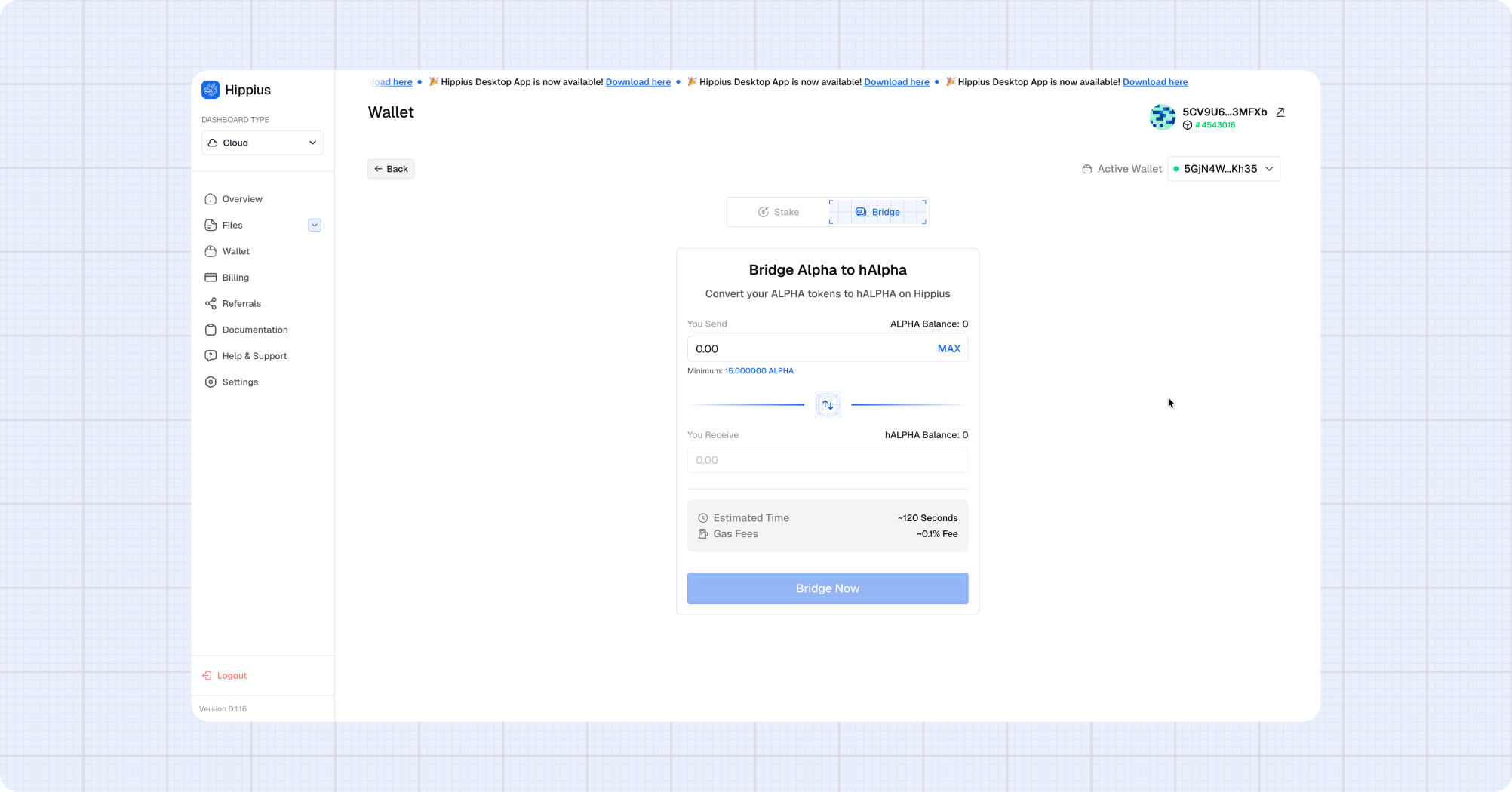
A minimum bridge amount applies. The gas fee is shown before you confirm. The bridge process takes approximately 120 seconds.
Bridging hAlpha → Alpha
This direction burns your hAlpha tokens on Hippius. Guardians detect the burn and release equivalent Alpha to your staked balance on Bittensor.
- On the Bridge tab, ensure the direction shows hAlpha → Alpha. If not, click the swap direction button.
- Your hAlpha balance is displayed at the top.
- Enter the amount to bridge.
- Click Bridge Now.
- Review the confirmation dialog — your hAlpha will be burned and Alpha released on Bittensor.
- Click Confirm Bridge.
- Approve the transaction in your wallet extension.
Tracking Bridge Transactions
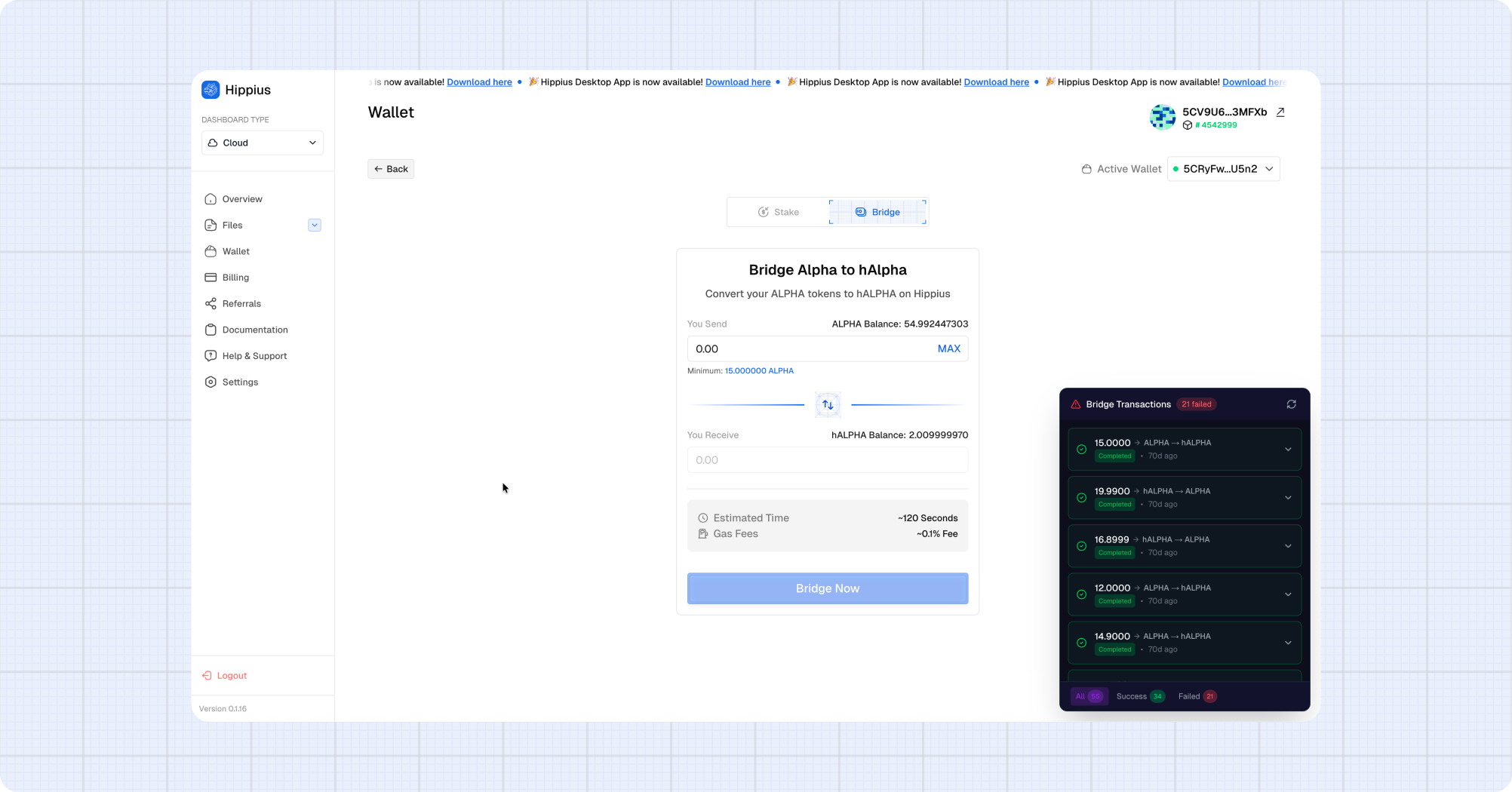
The Bridge Transactions widget appears on the Bridge tab and tracks all your bridge operations in real-time:
| Status | Icon | Meaning |
|---|---|---|
| Pending | Yellow clock | Transaction submitted, awaiting confirmation |
| Confirming | Blue spinner | Transaction included in a block, awaiting finalization |
| Processing | Purple spinner | Guardians are processing the bridge |
| Completed | Green checkmark | Bridge complete — tokens delivered |
| Failed | Red X | Transaction failed — check the error details |
Bridge transactions are tracked per direction:
- Alpha → hAlpha: Shows deposit events (lock confirmed, guardians minting)
- hAlpha → Alpha: Shows unlock events (burn confirmed, guardians releasing)
How the Bridge Works
Alpha → hAlpha:
  1. You add a temporary proxy to the bridge contract
  2. Your Alpha tokens are locked in the bridge contract
  3. The proxy is removed
  4. Guardian nodes detect the lock event
  5. Guardians mint equivalent hAlpha to your Hippius address

hAlpha → Alpha:
  1. Your hAlpha tokens are burned on Hippius (via AlphaBridge.withdraw)
  2. Guardian nodes detect the burn event
  3. Guardians release equivalent Alpha to your Bittensor staked balance
You can bridge back and forth as needed. Each direction has its own minimum amount and fee structure displayed on the Bridge form.