Quickstart: Store Your First File on Hippius
Hippius S3 is a distributed, S3-compatible storage service. This guide takes you from zero to your first file upload in under 5 minutes.
Create an Account
- Go to console.hippius.com
- Sign up with Google or GitHub OAuth
No wallet, seed phrase, or browser extension required.
Add Credits
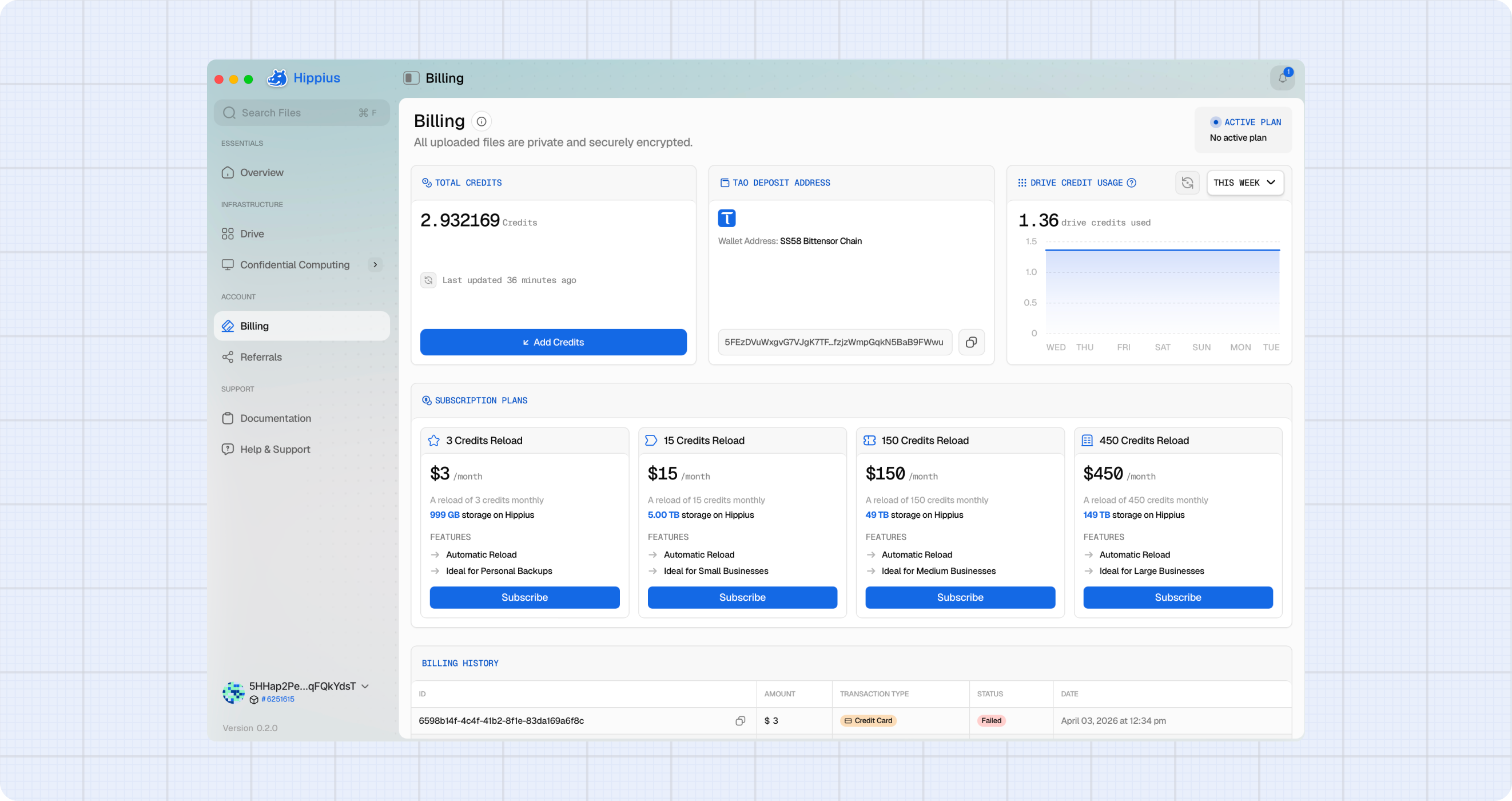
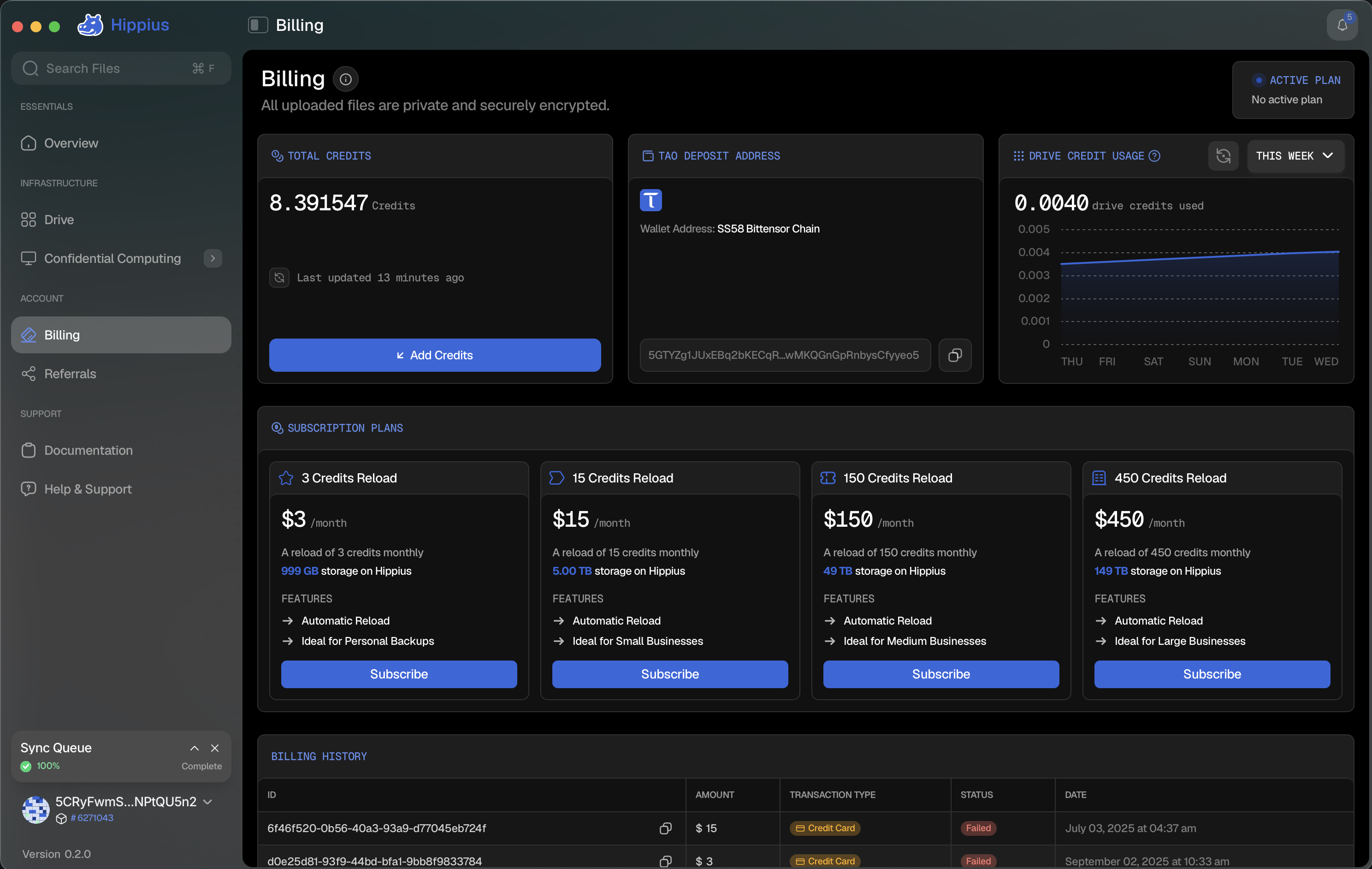
- In the console, go to Billing
- Add credits using credit card (Stripe) or TAO
Credits are consumed as you store and retrieve files. See pricing.
Create S3 Credentials
- In the console, go to S3 Storage
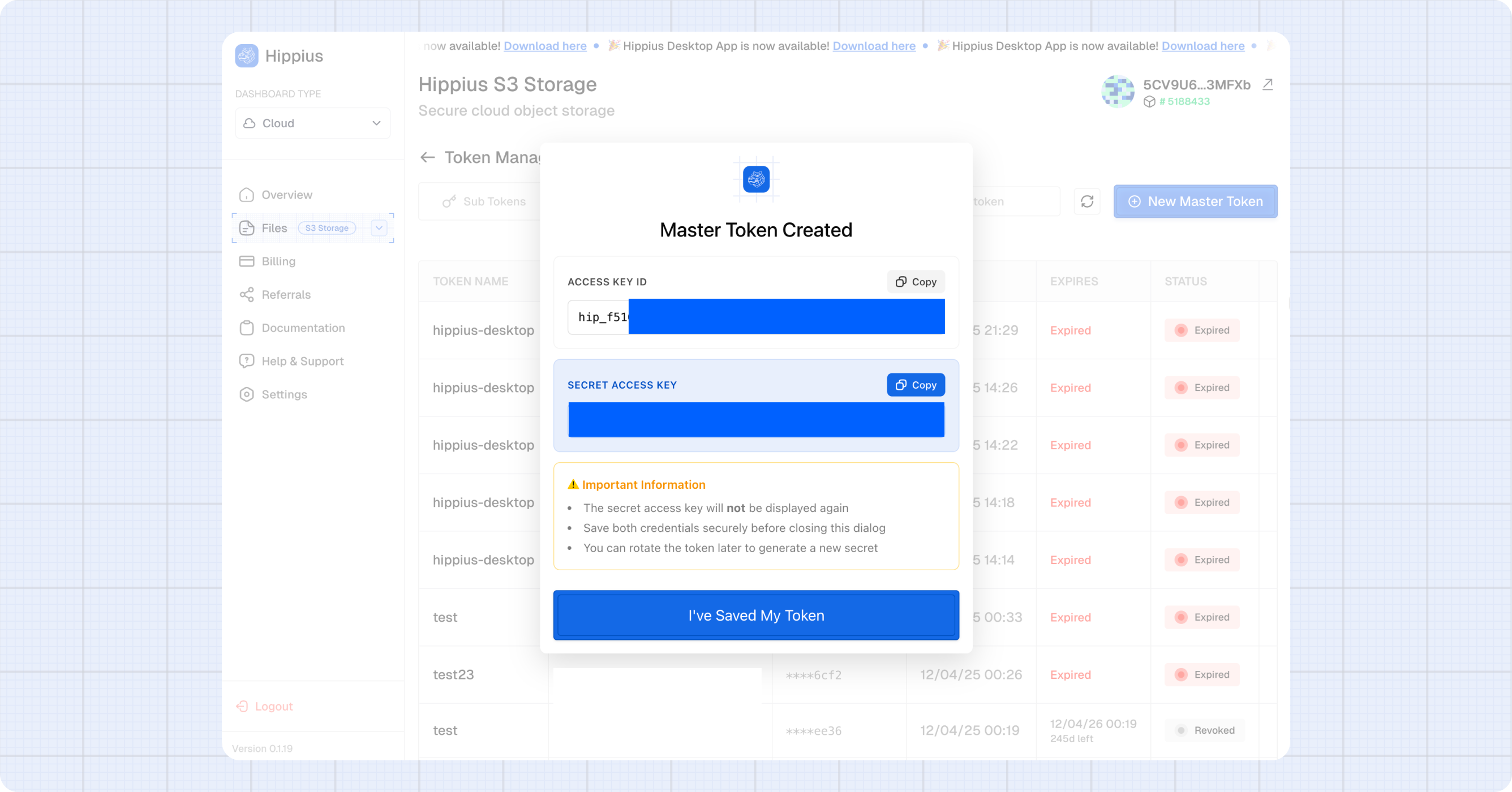
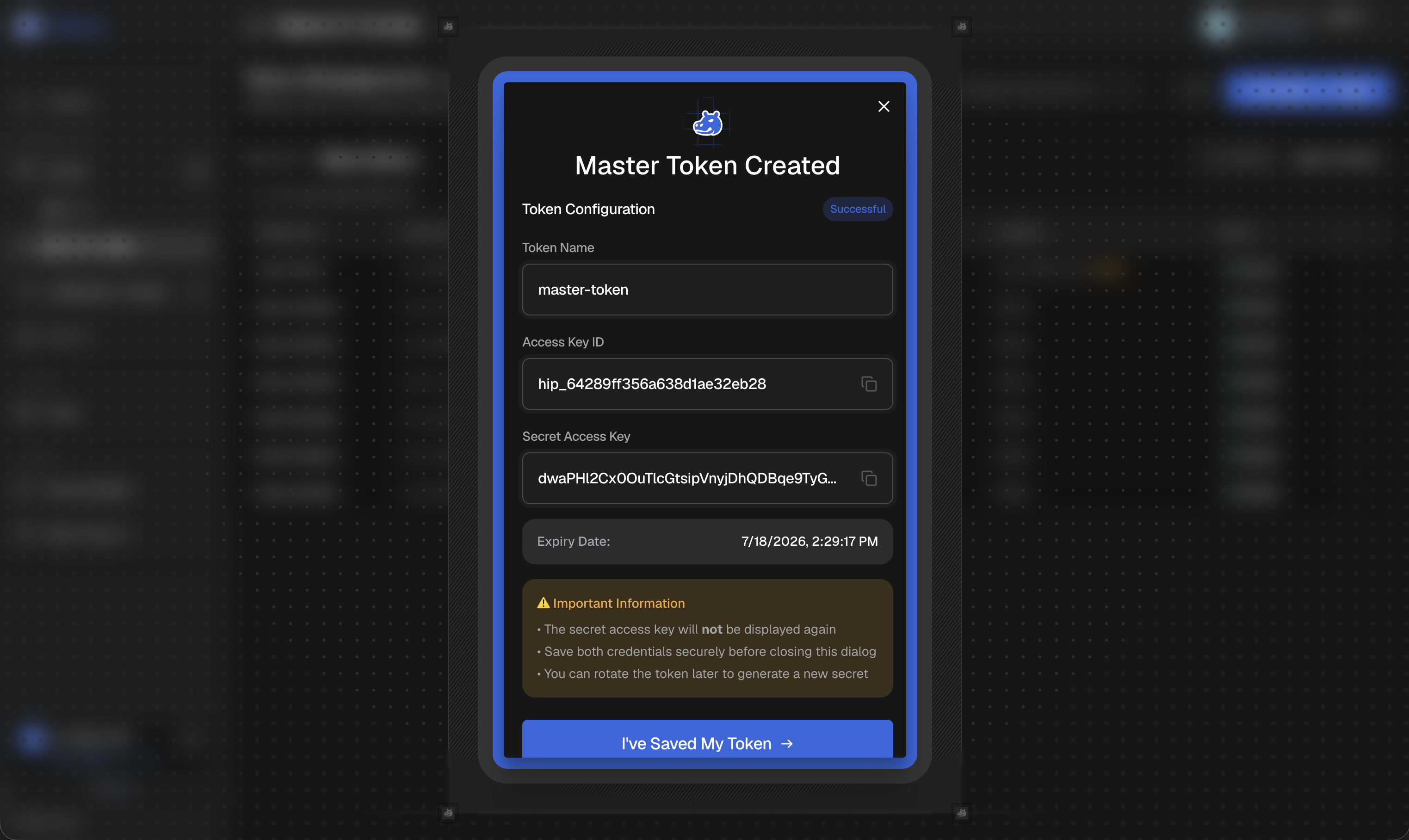
- Click Create Master Token
- Save your Access Key ID (starts with
hip_) and Secret Key
warning
Store your secret key securely — it cannot be retrieved after creation.
A master token can do everything on your account. Scoped sub-tokens, rotation, and ACLs are in Advanced Usage.
Connection Details
| Setting | Value |
|---|---|
| Endpoint | https://s3.hippius.com |
| Region | decentralized |
| Signature | AWS Signature V4 |
| Addressing | Path-style |
Always use https://s3.hippius.com. ETH wallets, TAO wallets, and Polkadot extensions are not used for S3 auth. TAO is only for paying credits.
Upload a File
- Python (minio)
- JavaScript (minio)
- AWS CLI
pip install minio
from minio import Minio
from io import BytesIO

client = Minio(
    "s3.hippius.com",
    access_key="YOUR_ACCESS_KEY",
    secret_key="YOUR_SECRET_KEY",
    secure=True,
    region="decentralized",
)

client.make_bucket("my-first-bucket")

content = b"Hello from Hippius!"
client.put_object(
    "my-first-bucket",
    "hello.txt",
    BytesIO(content),
    length=len(content),
    content_type="text/plain",
)

print("Uploaded successfully!")
npm install minio
const Minio = require("minio");

const client = new Minio.Client({
  endPoint: "s3.hippius.com",
  port: 443,
  useSSL: true,
  accessKey: "YOUR_ACCESS_KEY",
  secretKey: "YOUR_SECRET_KEY",
  region: "decentralized",
});

await client.makeBucket("my-first-bucket", "decentralized");

const content = Buffer.from("Hello from Hippius!");
await client.putObject("my-first-bucket", "hello.txt", content, {
  "Content-Type": "text/plain",
});

console.log("Uploaded successfully!");
export AWS_ACCESS_KEY_ID="YOUR_ACCESS_KEY"
export AWS_SECRET_ACCESS_KEY="YOUR_SECRET_KEY"
export AWS_DEFAULT_REGION="decentralized"

aws s3 mb s3://my-first-bucket --endpoint-url https://s3.hippius.com

echo "Hello from Hippius!" > hello.txt
aws s3 cp hello.txt s3://my-first-bucket/hello.txt --endpoint-url https://s3.hippius.com
Download and Verify
- Python (minio)
- JavaScript (minio)
- AWS CLI
response = client.get_object("my-first-bucket", "hello.txt")
print(response.read().decode())
response.close()
response.release_conn()
const stream = await client.getObject("my-first-bucket", "hello.txt");
let data = "";
for await (const chunk of stream) {
  data += chunk.toString();
}
console.log(data);
aws s3 cp s3://my-first-bucket/hello.txt - --endpoint-url https://s3.hippius.com
Next Steps
- Advanced Usage — presigned URLs, public buckets, ACLs, sub-tokens, large files
- Python, JavaScript, AWS CLI, rclone
- Compatibility matrix — every supported S3 operation
- Troubleshooting
- Pricing