Help & Support
Overview
The Help & Support area lets you submit support requests or complaints, track ticket status, and continue conversations with our support and admin teams. Replies may also arrive by email, so you can follow updates in both places.
Help & Support is not available when you sign in with an access key. Sign in with one of the supported providers (such as Google) to view and manage your support tickets.
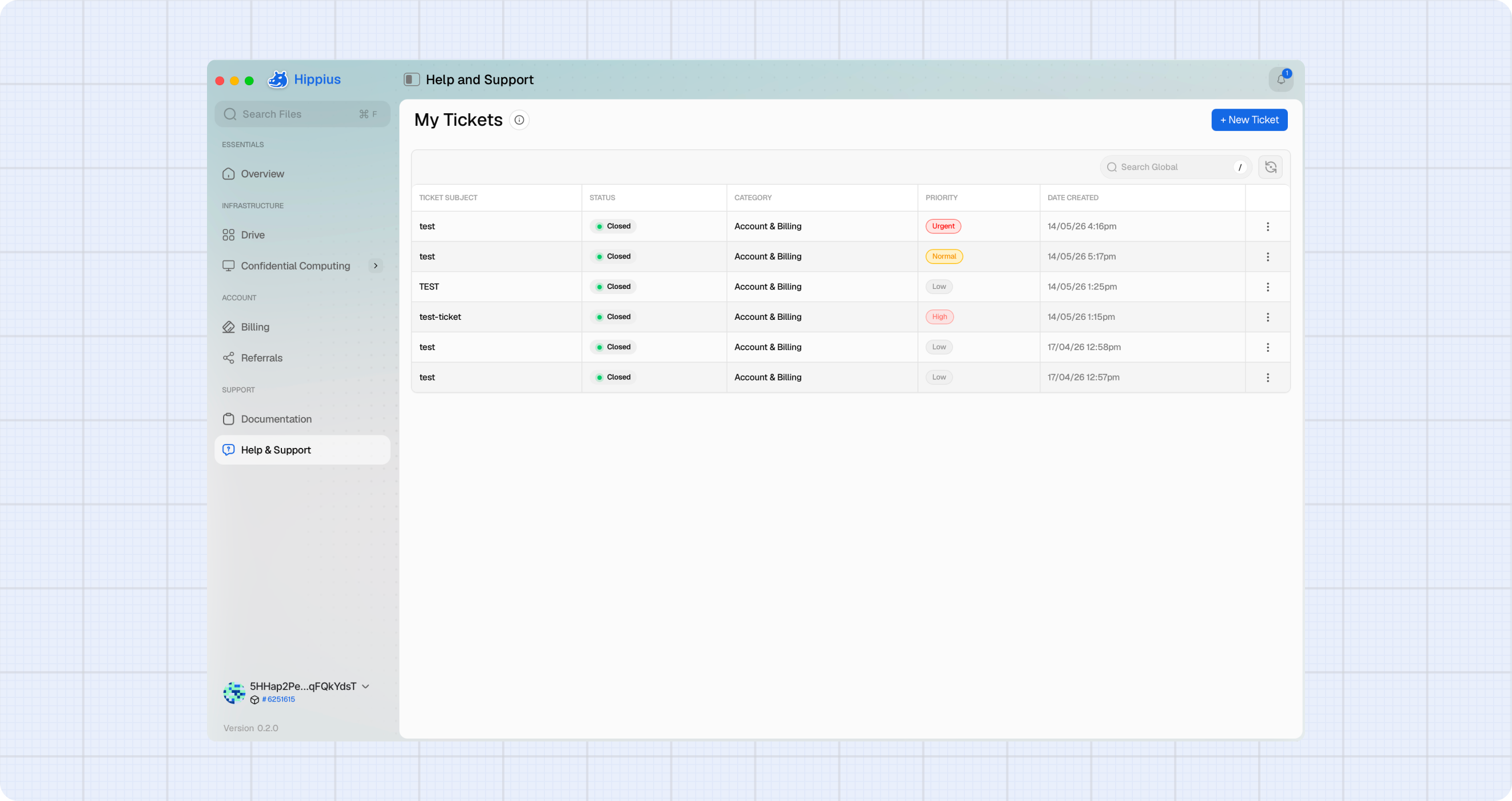
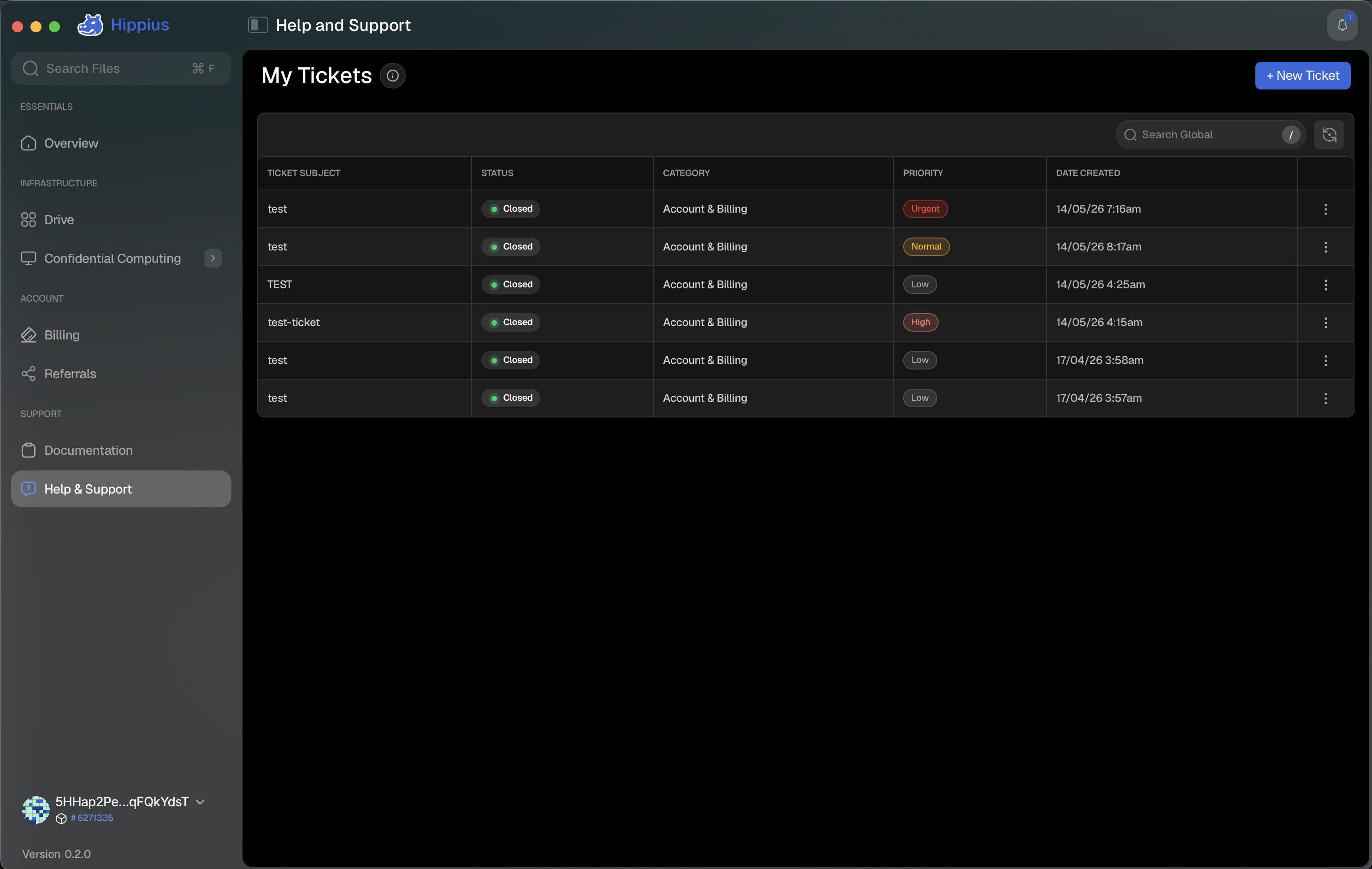
Open Help & Support
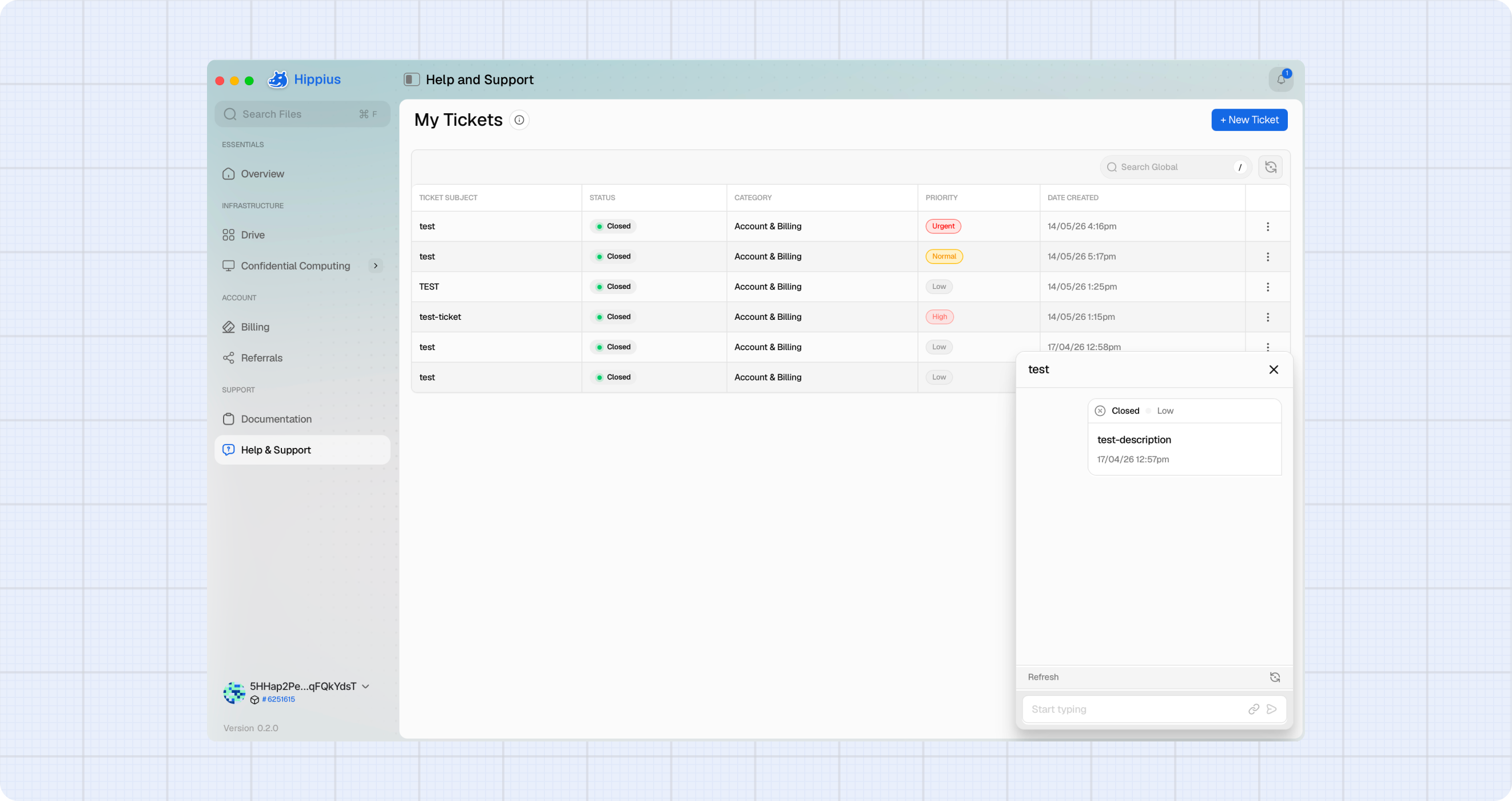
Use the left sidebar to open Help & Support. This opens the My Tickets page, which lists your tickets and provides a + New Ticket button to create a new request.
Create a Support Ticket
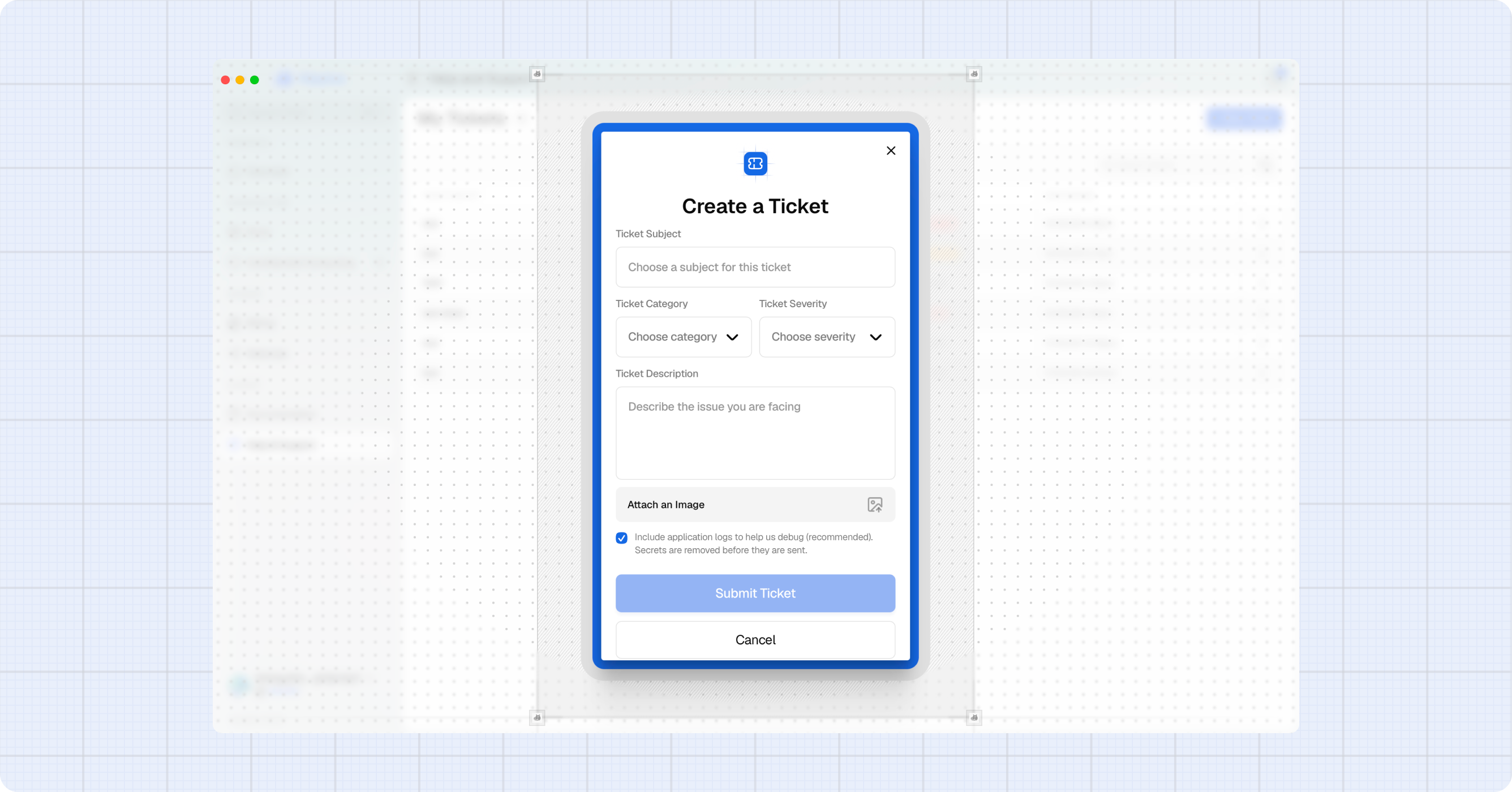
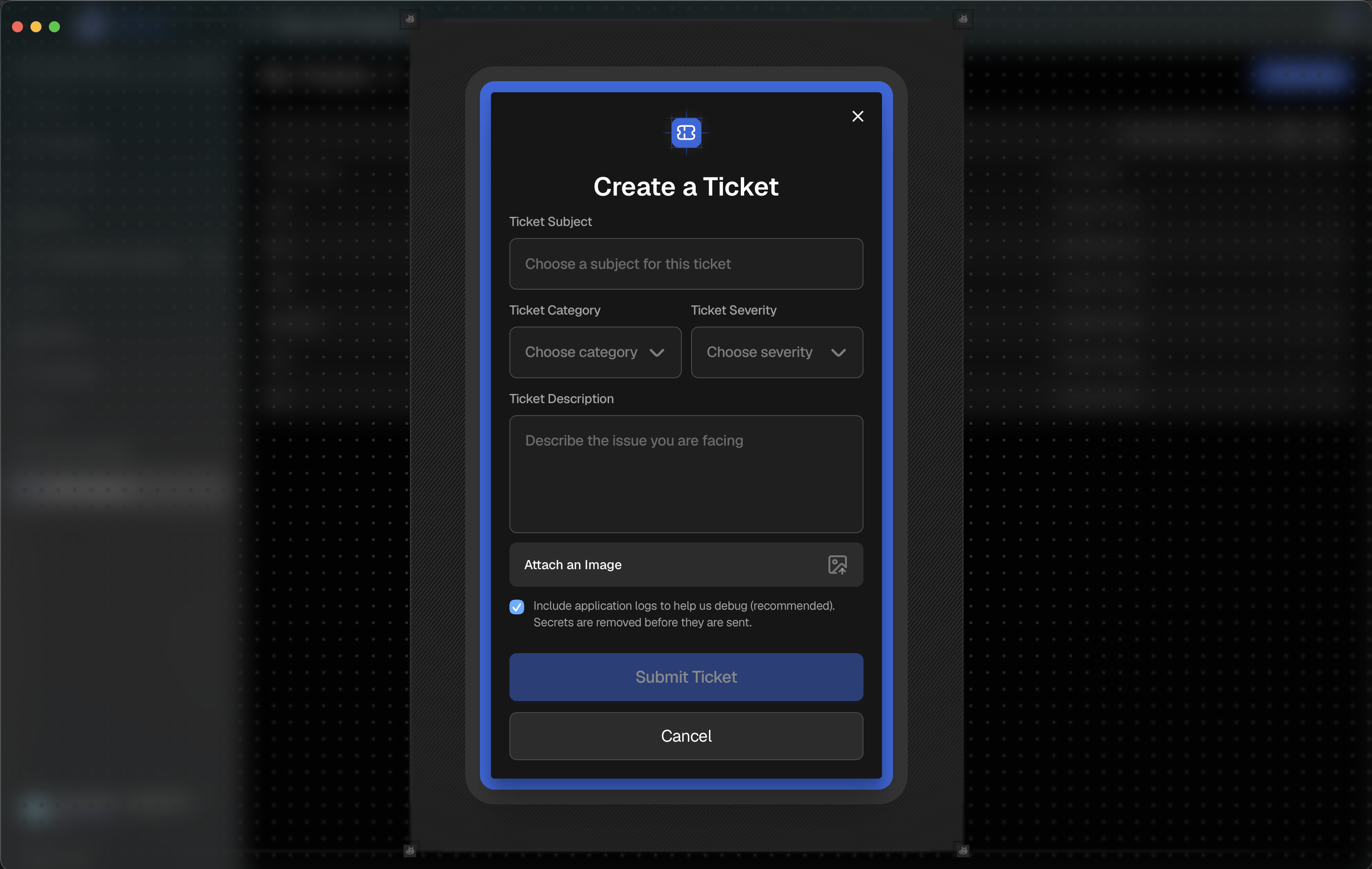
- Click + New Ticket to open the Create a Ticket dialog.
- Enter a Ticket Subject.
- Select a Ticket Category: Account & Billing, Storage (Arion & S3), or General.
- Choose a Ticket Severity — Low, Normal, High, or Urgent.
- Add a clear Ticket Description so our team can reproduce the issue.
- (Optional) Click Attach an Image to include a screenshot.
- (Optional) Leave Include application logs ticked to send recent diagnostics with your ticket. It is on by default and secrets are removed before the logs are sent — untick it to keep your logs local.
- Click Submit Ticket.
Review Tickets
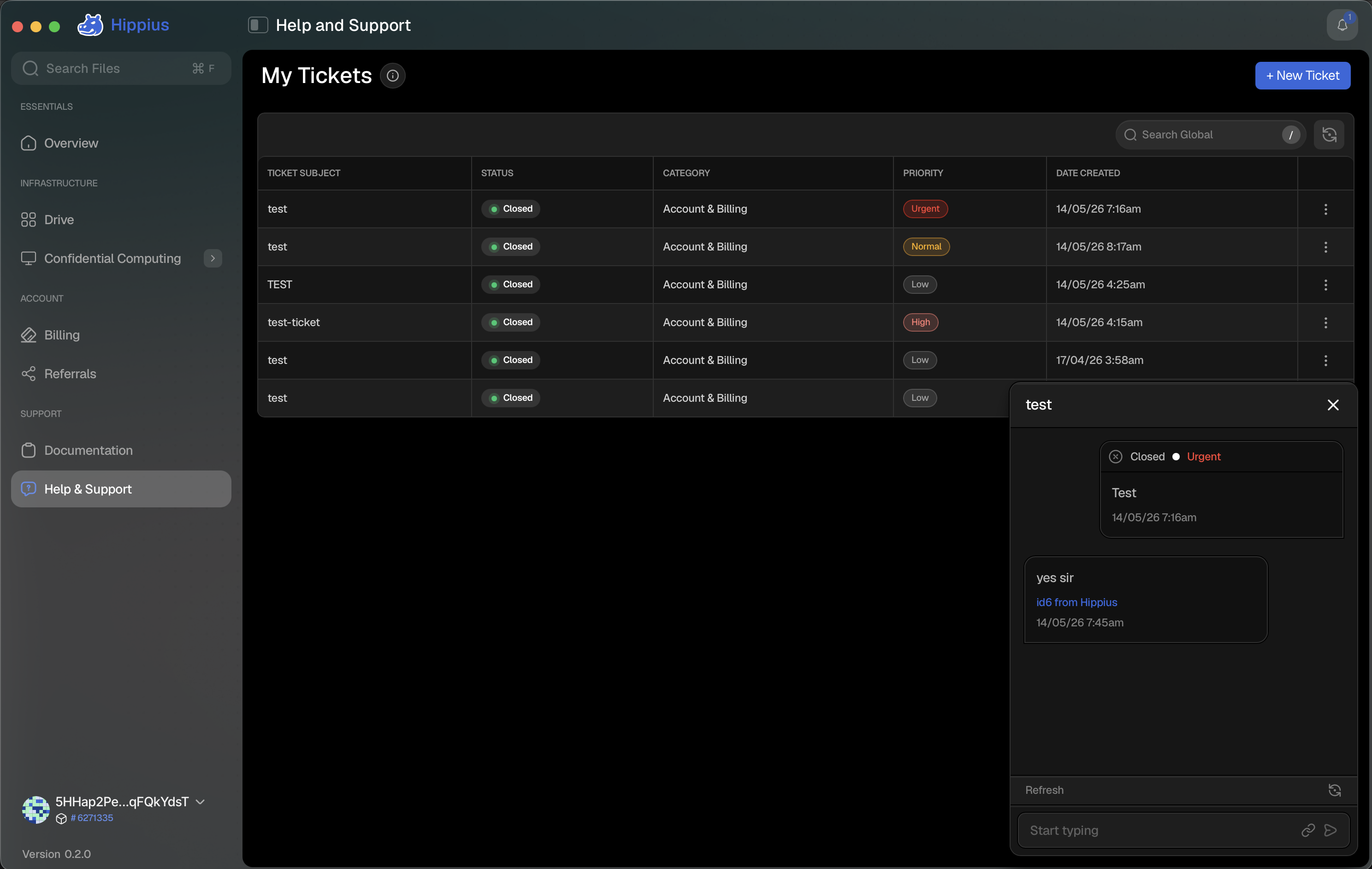
Your tickets appear in a table with Ticket Subject, Status, Category, Priority, and Date Created. Open tickets are sorted to the top so the ones needing attention are easy to find. Use the search bar to quickly find a specific ticket, or the refresh button to reload the list.
View and Reply to Messages
Each ticket includes a messages view for ongoing communication with our support and admin teams.
- Click the ticket's subject, or open its three dot menu (⋮) and select View Messages.
- Read updates from our support or admin teams.
- Type a response in the message field to continue the conversation.
Close a Ticket
When an issue is resolved, you can close the ticket from the list.
- Open the ticket's three dot menu (⋮).
- Select Close Ticket.
- Confirm in the dialog. Closing a ticket is permanent and cannot be undone.