Staking
Introduction
Staking lets you lock your hAlpha tokens to help secure the Hippius network. Your staked tokens earn rewards over time. When you're ready, you can unstake your tokens — they enter an unbonding period before becoming available to withdraw.
Staking Overview Widget
The Stake hAlpha widget on the Wallet Overview page gives you a quick snapshot of your staking status:
| Field | Description |
|---|---|
| Total Staked | Your actively bonded hALPHA |
| Total Locked | Combined total of bonded + unbonding + redeemable amounts (shown with a lock icon) |
| Unbonding | Tokens currently in the unbonding period, shown with a clock icon and estimated remaining time (e.g., "~1d 14h remaining") |
| Redeemable | Tokens that have finished unbonding and are ready to withdraw (shown with an unlock icon) |
Hover over the unbonding amount to see detailed information for each unbonding period, including the exact number of blocks remaining and the estimated time.
Staking hAlpha
- Open the Wallet page and ensure the correct Active Wallet is selected.
- Click Stake Now on the Stake widget, or navigate to the Stake tab on the Stake page.
- Your available balance (excluding already staked and unbonding tokens) is shown at the top.
- Enter the amount you wish to stake. Click Max to stake your full available balance.
- Click Stake Now.
- Review the confirmation dialog — note that this transaction cannot be reversed.
- Click Confirm.
- If using a browser extension wallet, approve the transaction in your extension.
A loading notification will appear while the staking transaction is processed. Once confirmed, your staked balance will update automatically.
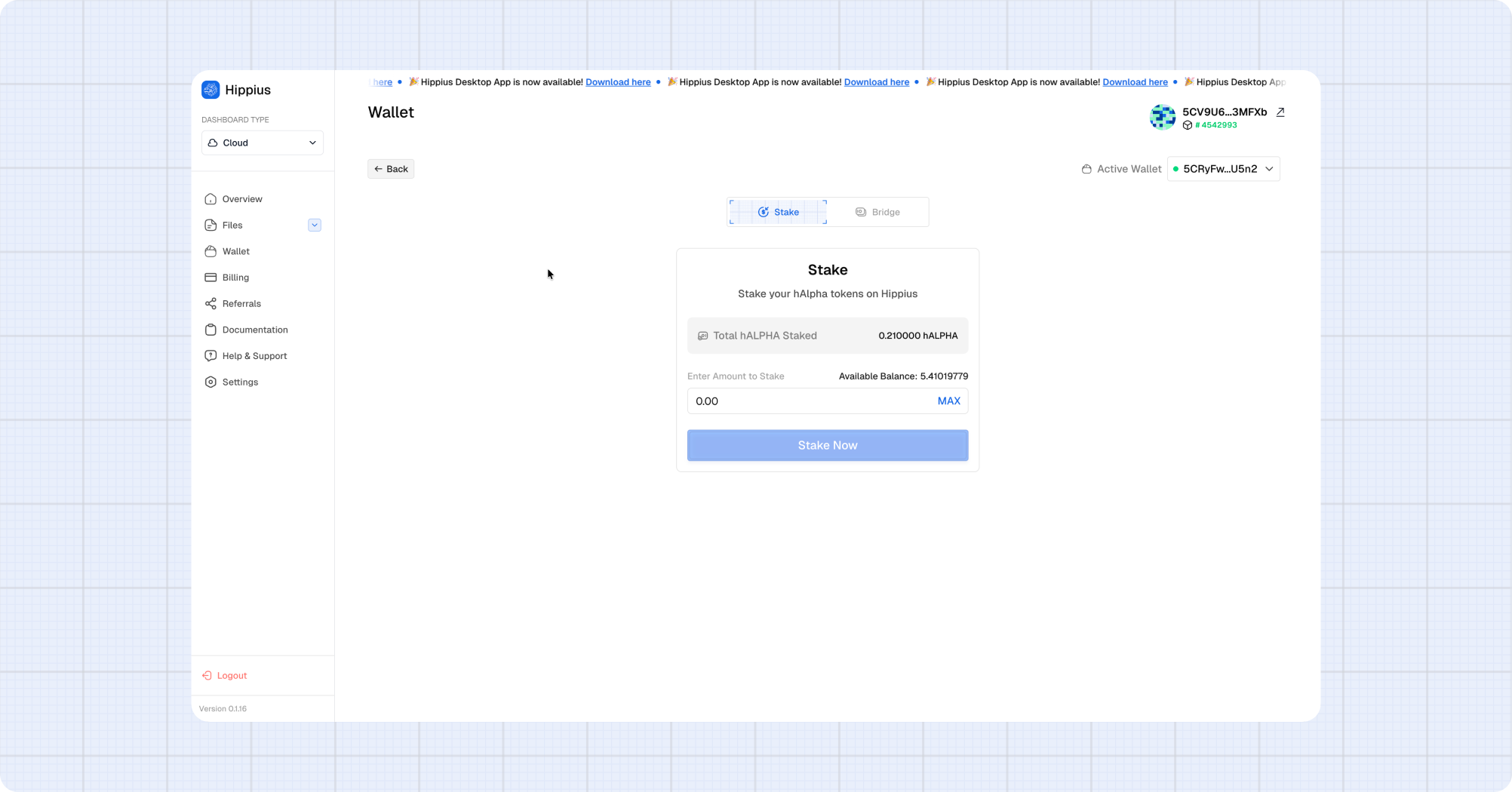
If you already have staked tokens, additional stakes are added to your existing bond automatically. You don't need to do anything different.
Unstaking hAlpha
Unstaking schedules your staked tokens for release. They enter an unbonding period before becoming withdrawable.
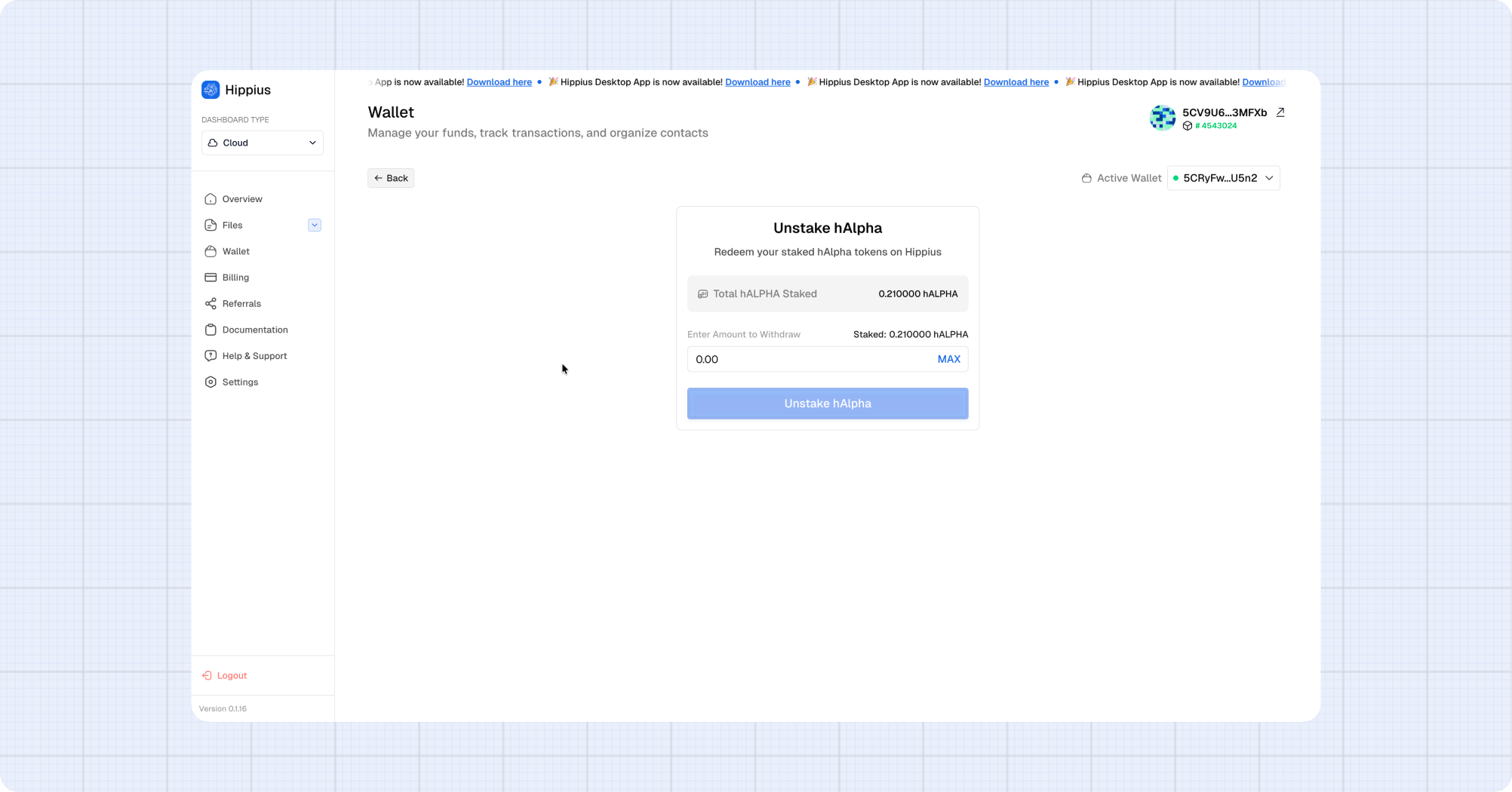
- Open the Wallet page and click Unstake on the Stake widget, or navigate to the Unstake page.
- Ensure the correct Active Wallet is selected.
- Your current staked balance is shown at the top.
- Enter the amount you wish to unstake.
- Click Unstake hAlpha.
- Review the confirmation dialog — note the warning about the unbonding period.
- Click Confirm.
- If using a browser extension wallet, approve the transaction in your extension.
After confirmation, the unstaked amount moves to Unbonding status. You can track the remaining time on the Stake widget.
Withdrawing Redeemable Tokens
Once the unbonding period is complete, your tokens become Redeemable and can be withdrawn to your wallet balance.
- Open the Wallet page. The Stake widget will show your redeemable amount in green.
- Click Withdraw.
- Review the amount shown in the confirmation dialog.
- Click Confirm Withdraw.
- If using a browser extension wallet, approve the transaction in your extension.
The dialog closes immediately and a loading notification tracks the withdrawal progress. Once confirmed, the tokens are added back to your transferable balance.
The Withdraw button only appears when you have redeemable tokens. If all your tokens are still unbonding, you'll see the remaining time instead.
Understanding Token States
Your hAlpha tokens can be in several states:
Transferable → [Stake] → Bonded (Staked)
                              ↓ [Unstake]
                         Unbonding (waiting period)
                              ↓ (period complete)
                         Redeemable
                              ↓ [Withdraw]
                         Transferable
| State | Can Transfer? | Can Stake More? | Can Unstake? | Can Withdraw? |
|---|---|---|---|---|
| Transferable | Yes | Yes | — | — |
| Bonded (Staked) | No | Yes (adds to bond) | Yes | — |
| Unbonding | No | No | No | Not yet |
| Redeemable | No | No | No | Yes |