File System
Introduction
Our file system is one of our core innovations, offering a unique, decentralized approach to storage. Designed to be efficient and accessible, it was built with a strong focus on security and privacy. All files uploaded to Hippius are stored privately and encrypted for security. Let's get started.
Uploading Files
Files uploaded to Hippius are automatically added to your sync folder and encrypted for security. This ensures your data remains private and protected.
- Double click the icon to open the app.
- Click on Files.
- Click the Upload File button.
- Drag and drop or click to select one or more files to upload.
- Click the Upload File button in the modal to start the upload process.
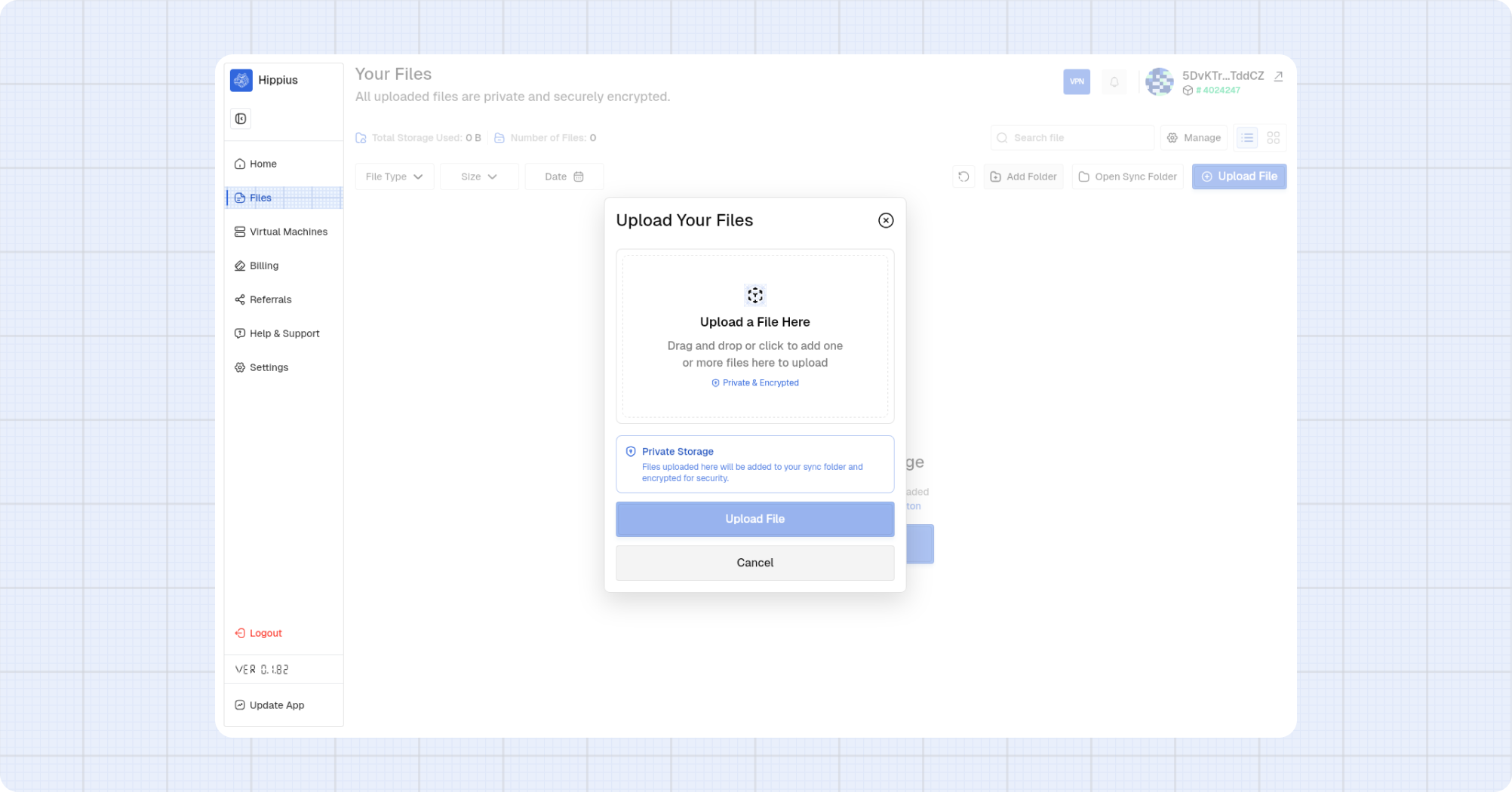
All files uploaded are stored privately and encrypted. Files are added to your sync folder and secured automatically.
Uploading Folders
You can also upload entire folders to Hippius. Like individual files, folders are encrypted and synced securely.
- Double click the icon to open the app.
- Click on Files.
- Click the Add Folder button.
- Select the folder you want to upload.
- Click Upload Folder button in the modal to start the upload process.
It usually takes some time to complete the upload to Hippius, but you can always monitor the upload progress.