Installation
Installing the plugin takes a minute. Before you do, it helps to check your site meets the requirements and to know which Hippius details you'll be asked for, so the setup goes in one pass.
Before you start
System requirements
- WordPress 5.0 or higher.
- PHP 7.4 or higher.
- The cURL PHP extension enabled.
- HTTPS on your WordPress site (strongly recommended).
What you'll need from Hippius
- A Hippius account (free to create at console.hippius.com).
- Money on your account balance to cover storage. You can top up your account balance by card, Bitcoin, USDC, TAO or Hippius tokens (hAlpha).
- An S3 Access Key ID (it starts with
hip_) and its S3 Secret Access Key. - A bucket with a name of your own, created in the Hippius Console.
- A Hippius API token. This one is optional, only needed to show your account balance in the dashboard.
You only see it once, at creation, and it can't be retrieved later. If you lose it, you'll have to generate a new key pair.
The next page, Get your Hippius credentials, walks through creating all of these.
Install the plugin
There are two ways to install Hippius Media Offloader. The plugin directory is the easiest, and it keeps the plugin updated for you.
Option A: from the WordPress plugin directory (recommended)
- Log in to your WordPress admin dashboard.
- Go to Plugins → Add Plugin. On older WordPress versions it's called Add New.
- Search for Hippius Media Offloader.
- Click Install Now, then Activate.
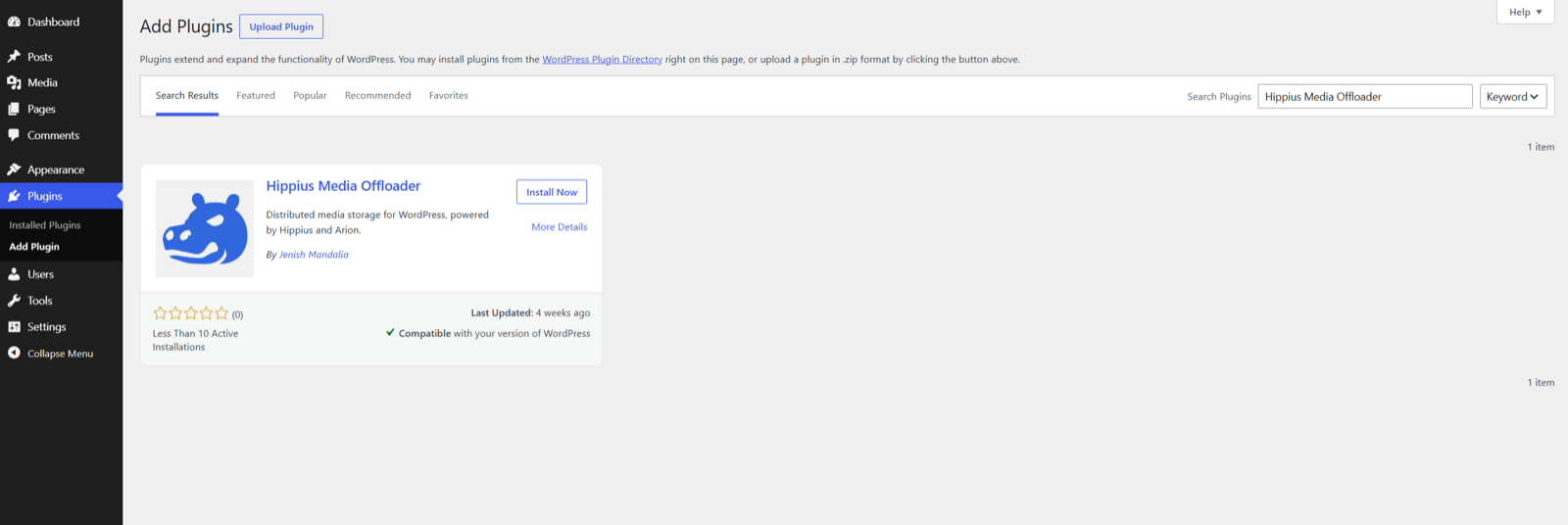
Find Hippius Media Offloader in the WordPress plugin directory.
Option B: manual upload
Use this if your site can't install from the directory, for example on a locked-down host.
- Download the plugin zip from wordpress.org/plugins/hippius-media-offloader.
- In WordPress admin, go to Plugins → Add Plugin and click Upload Plugin at the top.
- Pick the zip file and click Install Now.
- Activate the plugin from the Plugins screen.
After activation
A new Hippius Media item shows up in your WordPress admin sidebar. That's the plugin's home. It has two entries:
- Hippius Media is the one page where everything happens. Your account balance, settings, bucket status, logs, bulk migration and storage usage all sit on it as separate panels, so there's no hunting through submenus.
- Overview is a short tour of how the plugin and Hippius storage work, if you want the background.
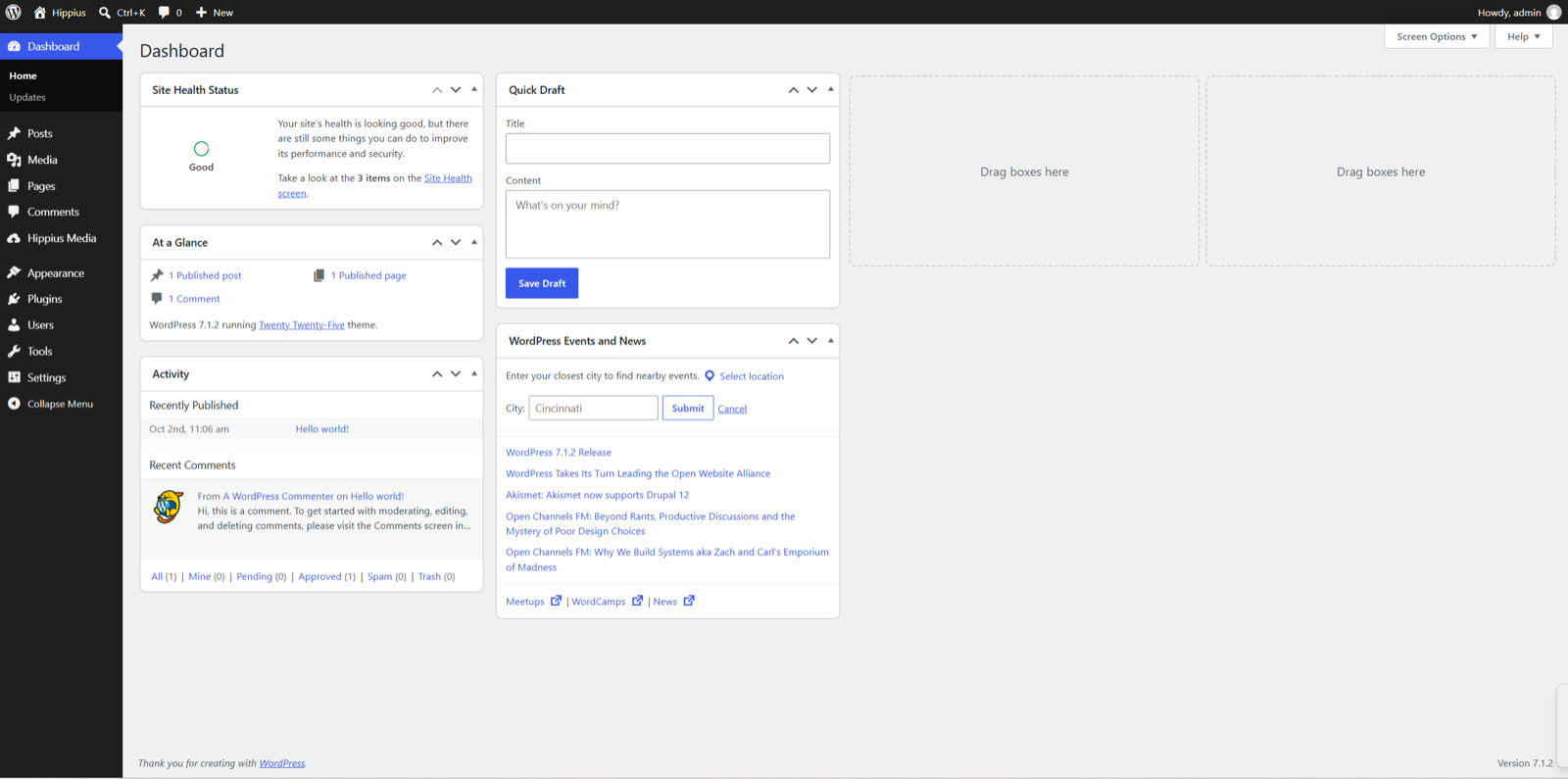
Hippius Media in the WordPress admin menu.
Next up: get your Hippius credentials.