Troubleshooting & FAQ
Most capture problems come down to one of three things: the capture couldn't reach your Drive, your browser or computer said no to something, or you've hit a Free plan limit. Hippius tries hard not to lose anything along the way, so start here.
Troubleshooting
A capture couldn't be uploaded
If your storage is full, your Drive is locked, or your connection drops, the capture isn't thrown away. The card after the capture says what went wrong (for example Your storage is full or Your Drive couldn't be reached) and offers a way forward: Retry, Upgrade when you're out of space, or Unlock when your Drive needs your password.
Where the capture waits in the meantime depends on where you took it:
- Desktop app: it's kept on your computer. The card comes back with Retry the next time you capture, and also when you open Hippius again, even after a restart.
- Console: it's kept in your browser, encrypted with your Drive's keys, so closing the tab or reloading doesn't lose it. The exceptions are a Drive that was locked when you captured, a private window, and a recording too large for the browser to keep; then the card asks you to keep the tab open. It waits at the top of the Captures page with Retry and Discard, and the console reminds you about it when you come back. It stays in that browser on that computer only, so retry from there.
Your browser has limited room for this. If a recording is too large to keep, the card says so and asks you to keep the tab open until it's saved. Don't close that tab until the card says Link ready.
If you're out of space, free some up by deleting files you no longer need, or move to a bigger plan, then press Retry.
The capture was saved but has no link
The card says Saved, no link yet and offers Create link. The capture is safely in your Drive; only the link step didn't finish. Press it to try again, or share the file later from Captures.
The link wasn't copied
Sometimes the system or the browser doesn't let Hippius use the clipboard, for example when you've clicked into another app while the upload finished. Press Copy link on the card. If that doesn't work either, open the link with Open and copy it from the address bar, or copy it from Shared Links.
The console opened no new tab
The console opens each new link in a tab of its own. If your browser blocks pop-ups, the card says so. Allow pop-ups for Hippius, or use Open on the card.
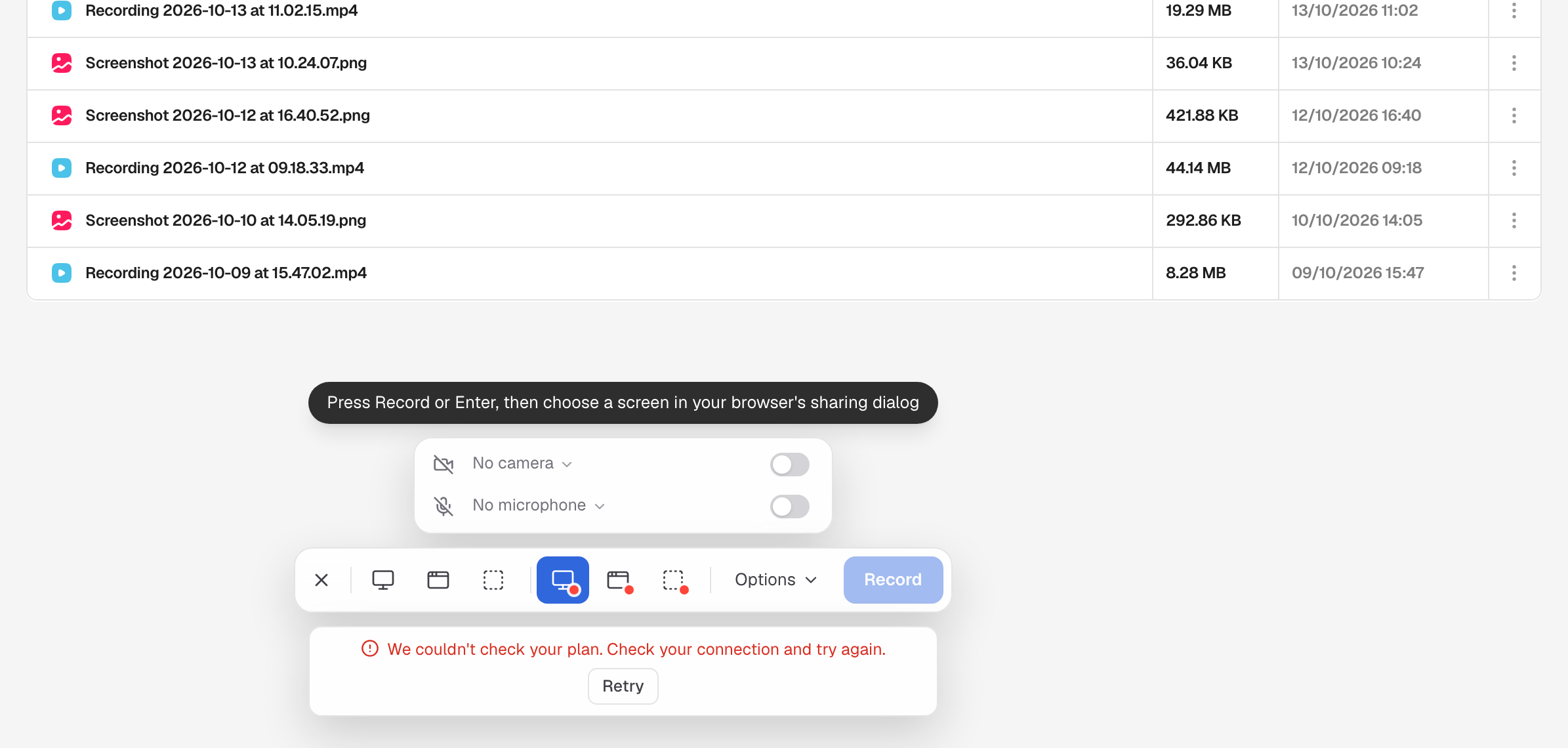
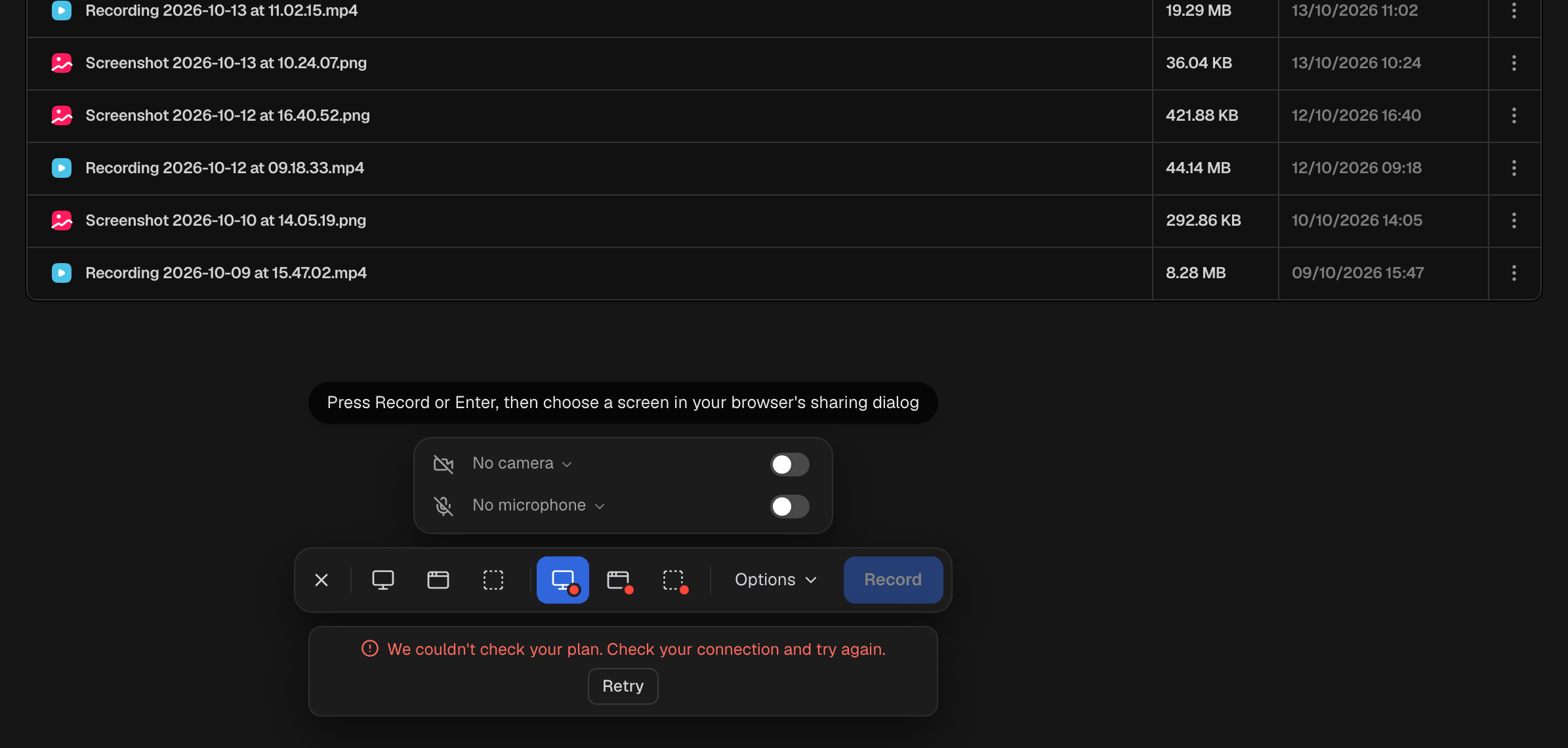
Capture says "Checking your plan..." or "We couldn't check your plan"
Before each capture, Hippius checks your plan, because it decides the watermark, the 5-minute limit and the 25 free recordings. While it checks, the capture bar says Checking your plan... and waits. If the check fails, usually because you're offline, nothing is captured: check your connection and press Retry.
Capture says my account doesn't include free storage
Accounts that sign in with an access key don't come with the free 10 GB, so there's nowhere to keep captures until you choose a plan. Press See plans to pick one.
Record doesn't start
On the Free plan, if you've used your 25 recordings, Hippius tells you as soon as you press Record. Delete an older recording to free a slot, or upgrade. See Free and paid plans.
There's no Screenshot or Record button in the console
The buttons are on the Drive and Captures pages, on a computer. They're hidden on phones and when the browser window is very narrow. Make the window wider, or use the desktop app.
Record an area is greyed out
Recording an area in the console needs Chrome or Edge. In Safari and Firefox, record the window or the entire screen instead. Screenshots of an area work in every browser.
My camera isn't in the recording
In the console, Safari and Firefox only record the camera with Entire screen, and Firefox doesn't offer the camera at all. Use Chrome or Edge, or the desktop app, to have your camera in window and area recordings. Also check that your browser or computer is allowed to use the camera.
Nothing gets captured on a Mac
macOS needs your permission before any app can see the screen. If Hippius asks, follow its steps to allow it in System Settings, then relaunch Hippius. macOS only applies the change after a restart.
There's no Record on Windows
Screen recording on Windows arrived in Hippius 0.6.9. If you don't see Record, update the app: it usually updates itself, or you can download the latest version from the Hippius download page.
The Windows installer isn't code signed yet, so Windows may show a SmartScreen warning when you install it. Choose More info, then Run anyway.
FAQ
Can I use my own domain for capture links?
Not yet. Custom domains for share links are planned for the Plus, Max and Scale plans, the same plans that include shared drives.
Can I get a shorter link?
Not yet. A Hippius link is long because it carries the key that decrypts your capture, after the #. That key is what keeps the capture private from everyone without the link, including Hippius.
Can I take a screenshot or a recording on my phone?
No. Captures are taken on a computer, in the desktop app or the console. Everything you capture there shows up in Captures when you open the console on your phone, and the links work on any device.
Is it only in the beta?
No. Screenshots and screen recording are part of the regular desktop app and the console.
Will there be a browser extension?
Yes, one is coming soon. It removes the browser differences described in Record your screen.
Who can see my captures?
Only you, until you share them. Every capture gets a link that anyone holding it can open, so share it with care, and revoke it in Shared Links when it's done its job. See Share links for captures.
Can I stop links being made automatically?
In the desktop app, yes: turn off Copy a share link after capture in the capture bar's Options or in Settings. In the console every capture gets a link; revoke the ones you don't need in Shared Links.
If I delete a capture, does its link stop working?
No. A link is its own encrypted copy of the file, so it keeps working after the file is deleted. Revoke the link in Shared Links. See Deleting a capture doesn't end its link.
Do captures use my storage?
Yes, like any other file. See Free and paid plans.
Can a script or an AI agent take captures?
There is no capture API: screenshots and recordings are taken by a person in the desktop app or the console. A script can do the next best thing with the Hippius Drive SDK: upload a picture or a video it already has, and create a share link for it, for example with hippius-drive share put. Those files carry no watermark. Videos uploaded into your Hippius Captures drive count toward the 25 free recordings like any other; uploads anywhere else don't.
Still stuck?
Get in touch through Help & Support. Tell us whether you were in the desktop app (and which version) or the console (and which browser), and what the card said.