The Hippius Browser Extension
Press Alt Shift S and the page in front of you is saved, with a link to it already on your clipboard. Paste it into a chat, an email or a ticket, and whoever opens it sees exactly what you saw, right in their browser, with no account needed.
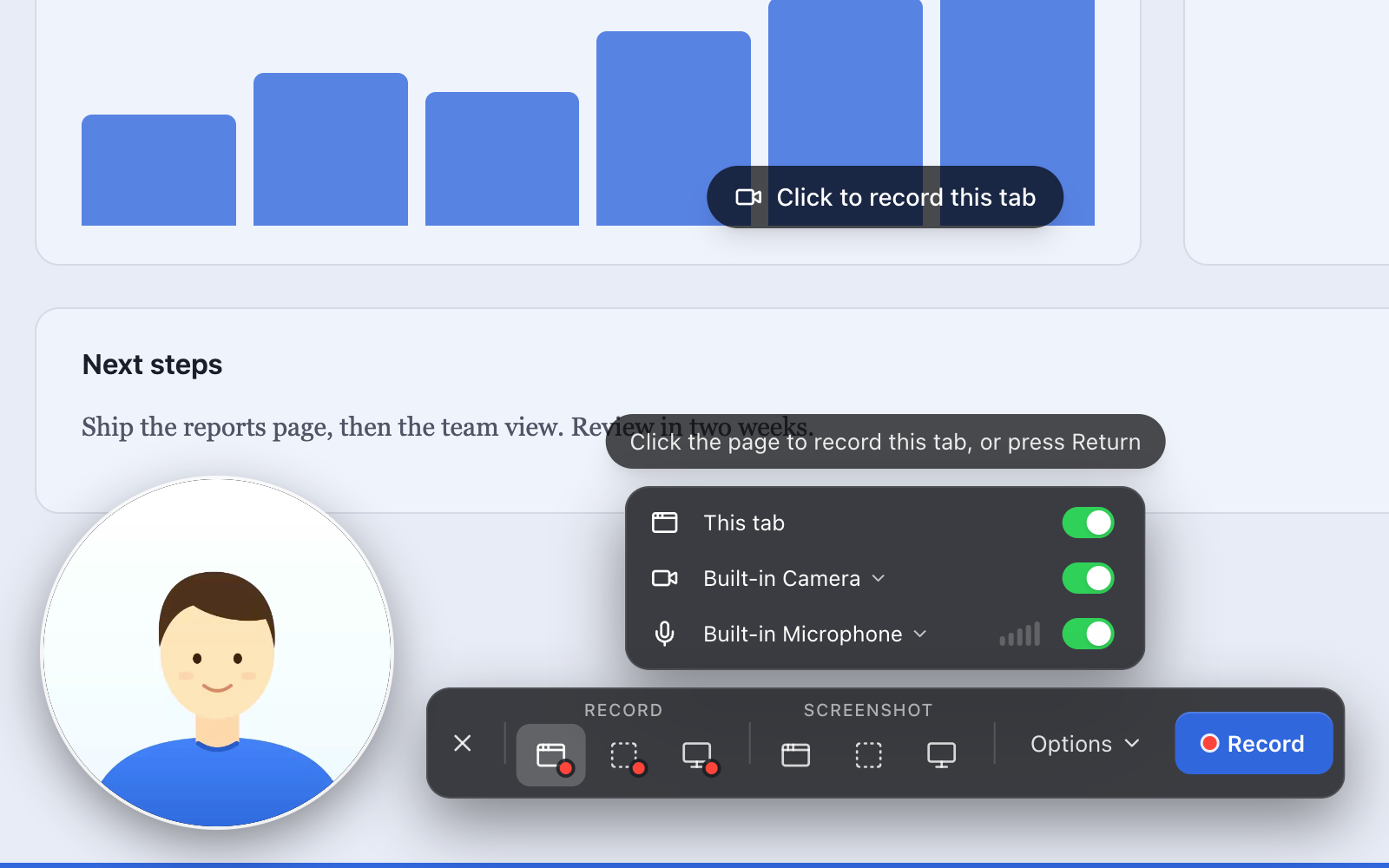
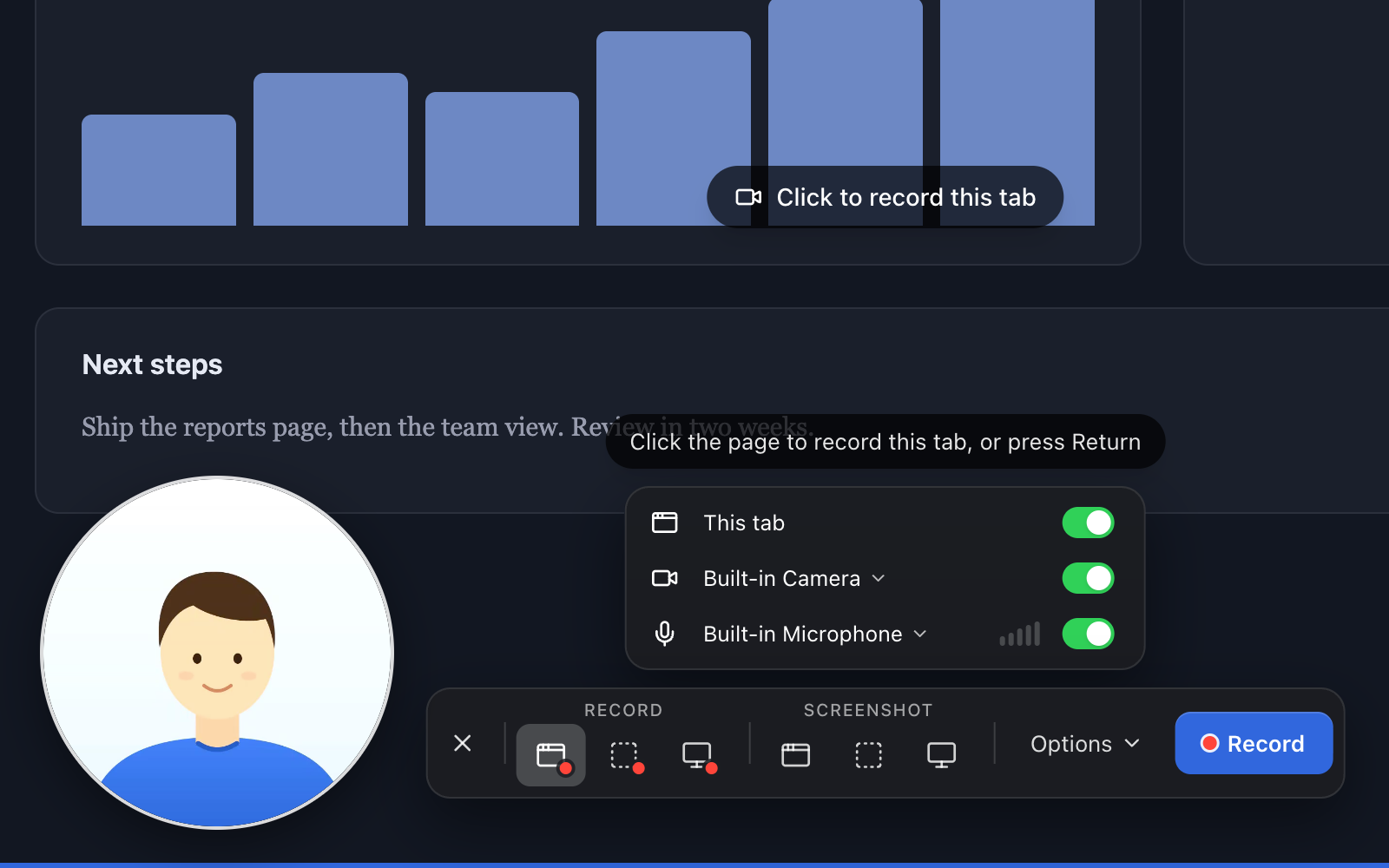
Recording is just as quick. Press Alt Shift M, pick what to record, and talk through the bug or the design with your camera in a small bubble in the corner. Press it again to stop, and by the time you're back in the chat, the link to your video is ready to paste. (On a Mac, use Option instead of Alt.)
Every capture is encrypted in your browser before it's uploaded, and the key that opens it travels inside the link. We store your captures, and we can't watch them. The people you send the link to can.
It's free to start, with unlimited screenshots and 25 recordings. Install it and connect your account in about five minutes.
- Install Hippius from the Chrome Web Store and pin it to your toolbar (the puzzle piece, then the pin).
- Sign in at console.hippius.com with Google, GitHub or Apple. The first time you sign in, your free account is made for you.
- New to Hippius? Set your unlock password before you connect: click your account at the top right of the console, choose Settings, then Set Password next to Unlock Password. Write down the 12 words it shows you.
- Click the Hippius button in your toolbar, then Connect account. On the page that opens, click Connect and enter your unlock password.
- Press Alt Shift S (Option Shift S on a Mac). The link is on your clipboard. Paste it.
Stuck at any step? Troubleshooting has the fixes.
Jump to a task
- Take a screenshot of a page, an area, or any window on your computer.
- Record your screen, with your voice and your camera if you want them.
- Share a link and see who watched.
- Find, download or delete your captures.
- Fix "Connect your Hippius account" showing up again.
What happens when you capture
- You choose what to capture: the page you're on, an area you drag out, a whole screen or a window (other apps included), or just your camera.
- Your browser encrypts the capture with a key that belongs to your Hippius account. Nothing readable leaves your computer.
- The encrypted file is saved to your captures drive, a drive of its own in your Hippius Drive. Like every file in Hippius Drive, it's split into pieces and spread across independent machines on the Hippius network.
- A share link is made and copied for you. The part after the
#holds the key, and browsers never send that part to a server. Anyone with the full link can open the capture. Without it, nobody can, us included.
There's no folder to pick, no file to name and no upload to watch.
What you can capture
Take a screenshot of the page you're on, an area you drag out, or any screen or window on your computer, other apps included. Record a tab, an area, a screen or a window, with your microphone and a round camera bubble if you want them, or record just your camera for a quick video message. On a paid plan, you can also see how many people opened each link, how much of a recording they watched, and what they said in the comments.
Anyone who has a link can open it, so share it the way you'd share the capture itself.
Your captures are yours
Every capture lands in your captures drive, in your own Hippius account, so nothing is locked inside the extension. Open, rename, download or delete your captures in the popup, in the Hippius console (the website where you manage your account and files), or in the Hippius desktop and mobile apps. Remove the extension or switch computers and they're still there. Find and Manage Captures has the details.
The extension talks only to Hippius, and only to save and share your captures. No ads, no analytics, no trackers. Privacy and Permissions lists exactly what's encrypted and what isn't.
What you need
You need Chrome or Microsoft Edge 116 or later on a computer, and a free Hippius account for your captures to live in. Brave, Arc and other browsers built on Chrome can install it from the Chrome Web Store too, though we build and test it on Chrome and Edge. It needs nothing beyond your browser, so it also works on a computer where you can't install apps.
Not ready to make an account? Capture without saving in the popup works straight away. Those captures wait on your computer until you connect.
Install and Connect takes you from installing the extension to your first link. If you have a question first, Questions and Answers covers the common ones.
The same screenshots and recordings are built into the Hippius desktop app and the Hippius console, and all three save to the same captures drive. See Screenshots & Recording to compare them.