Bridge
Introduction
The bridge moves tokens between the Bittensor network (Alpha) and the Hippius network (hAlpha). The two are pegged 1:1, so bridging changes which network holds your tokens, not how many you have.
You bridge from the Bridge Tokens panel at the bottom of the Stake card on the Wallet page.
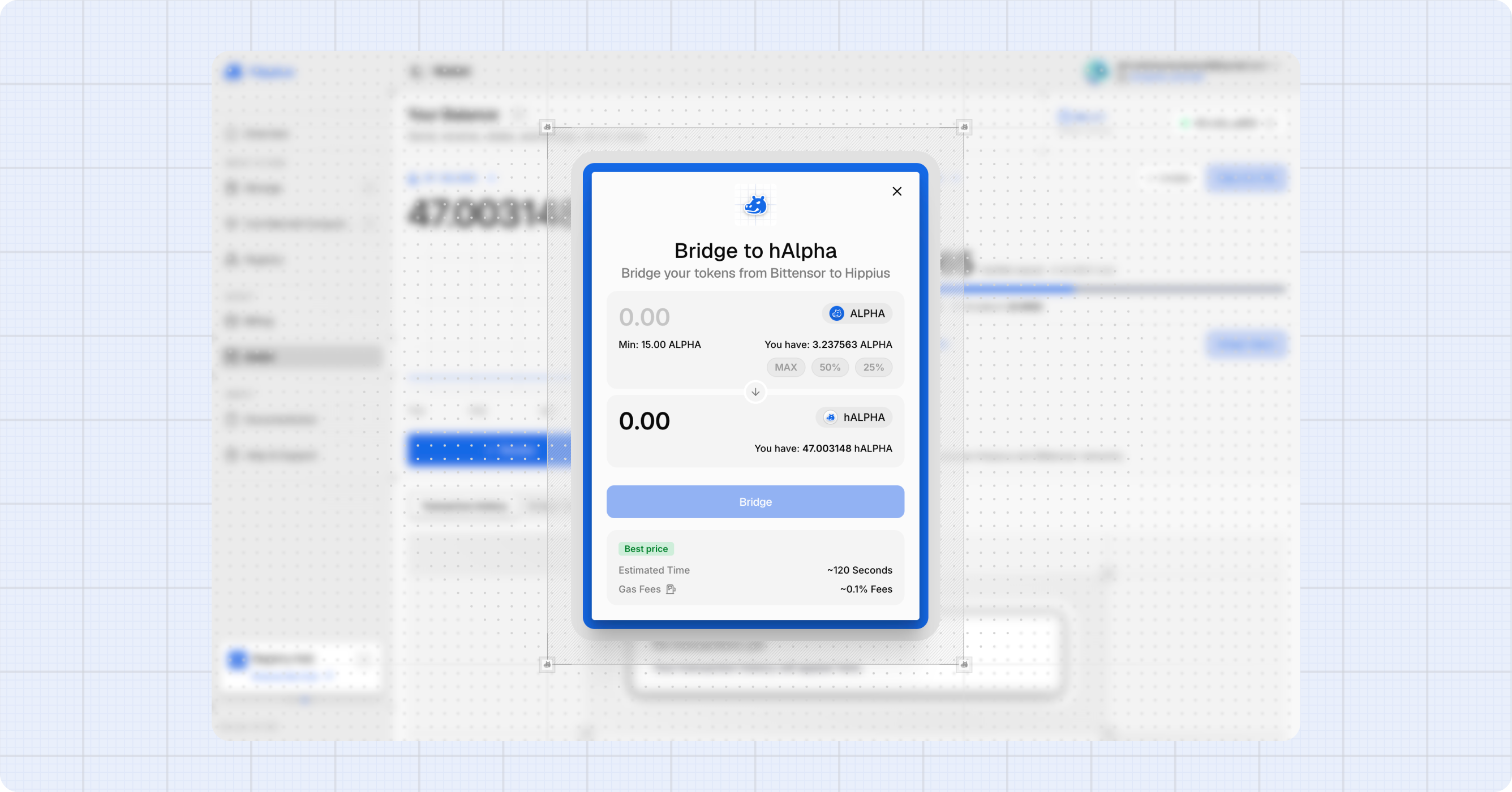
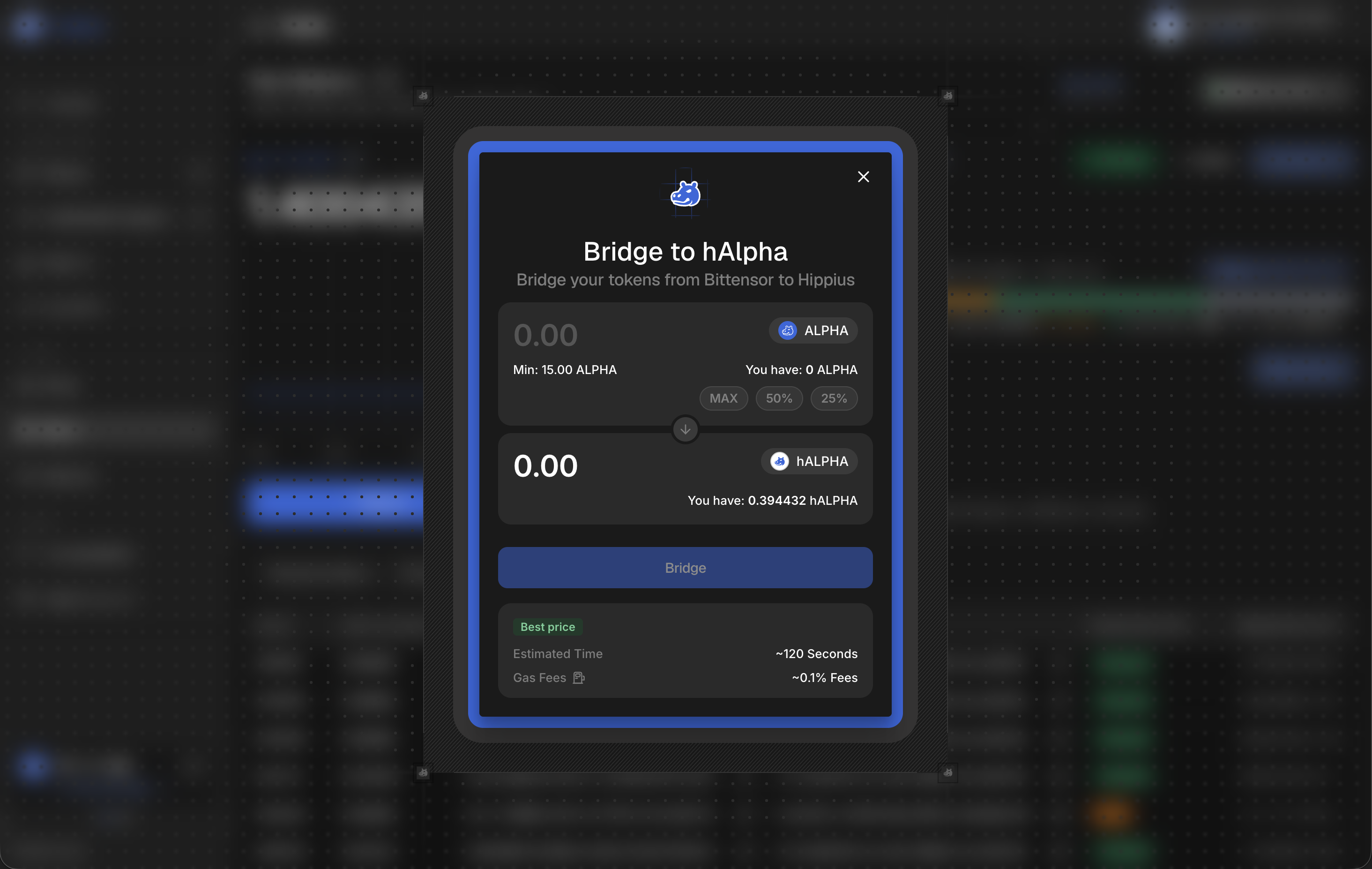
Before you start, here is what we ask of every bridge:
| Minimum amount | 15 Alpha, or 15 hAlpha |
| Estimated time | Around 120 seconds |
| What you pay | Network gas only. TAO on the Bittensor side, hAlpha on ours |
| Signatures (Alpha to hAlpha) | 3, or 4 if a stake move is needed first |
| Signatures (hAlpha to Alpha) | 1 |
The bridge does not take a cut. Tokens are pegged 1:1, so what you send is what you receive, and the only cost is the network gas for the transactions you sign.
Choosing a Direction
- Bridge Alpha to hAlpha: brings tokens from Bittensor into Hippius, so you can stake them or pay for storage.
- Bridge hAlpha to Alpha: sends tokens back out to Bittensor.
Enter an amount and we show you the estimated time and gas before you commit to anything.
Bridging Alpha to hAlpha
This is the more involved direction, because the work happens on Bittensor and needs several signatures.
- Click Bridge Tokens on the Wallet page.
- Choose Bridge Alpha to hAlpha.
- Enter the amount. It must be at least 15 Alpha.
- Click Bridge.
- Read the Before you bridge panel and tick I understand and accept these risks. We ask for this on every single bridge, not just the first.
- Click Confirm Bridge.
- Approve each signature in your extension as we request it.
The Move Stake step
Your Alpha has to be staked on the Hippius validator before we can deposit it into the bridge. If some of it is staked elsewhere, we have to consolidate it first.
We check this the moment you confirm, using fresh chain state rather than a cached figure. If the amount you asked to bridge is larger than the Alpha you already hold on the Hippius validator, we add a Move Stake to Validator step at the front of the flow, and the confirmation tells you it needs four signatures instead of three.
The step names the validator or validators we are moving your Alpha from, so you can see exactly what is about to change. For example:
Move your Alpha from
5F3s...7Kd2and 2 other validators onto the Hippius validator so the bridge can deposit it
If everything you are bridging already sits on the Hippius validator, we skip this step entirely and you sign three times.
A stake move keeps your Alpha staked throughout. It changes which validator holds it, so the bridge can reach it.
The signatures we ask for
We tell you up front that multiple wallet confirmations are required on Bittensor. In order:
| Step | What it does |
|---|---|
| Move Stake to Validator | Only when needed. Consolidates your Alpha onto the Hippius validator. |
| Add Proxy | Authorizes the escrow contract on Bittensor. |
| Deposit Alpha | Deposits your staked Alpha into the bridge contract. |
| Remove Proxy | Revokes the bridge's access again once the deposit is done. |
Each signature has to be approved in order. If you try to navigate away while a bridge is running, we ask whether you want to Stay on this page or Leave anyway. Staying is almost always the right answer. Use Minimize if you want to keep the progress visible while you work elsewhere in the console.
The Bittensor side is paid for in TAO, not Alpha. If you see "Failed to add escrow proxy. Please ensure you have enough TAO for gas fees", top up TAO in your source wallet and try again.
Bridging hAlpha to Alpha
This direction is a single signature.
- Click Bridge Tokens and choose Bridge hAlpha to Alpha.
- Enter the amount. It must be at least 15 hAlpha.
- Click Bridge, accept the risk disclaimer, then click Confirm Bridge.
- Approve the signature. We track progress and confirm when the destination chain settles.
We burn your hAlpha on Hippius and release the equivalent Alpha on Bittensor. It arrives as stake held against a hotkey, not as a spendable balance.
This is not a choice we made. On Bittensor, subnet Alpha only ever exists as stake, recorded per hotkey, coldkey and subnet. The spendable balance on Bittensor is TAO, and there is no free Alpha balance for it to land in. If you want liquid value out of it, unstake the Alpha on Bittensor.
This direction is signed on Hippius, so the fee comes out of your hAlpha. If you bridge every last token you will have nothing left to pay it with. Keep a little back.
Only your transferable balance can leave the network. Unstake first, wait out the unbonding period, and redeem before bridging. See Staking.
What we accept
We check these before anything reaches the chain:
- Minimum: 15 Alpha or 15 hAlpha. Below that we show "Minimum bridge amount is 15.00 ...".
- Maximum: 1,000,000 tokens per bridge.
- Your balance: we reject an amount larger than the source balance.
Tracking a Bridge
While a bridge runs we show each step as it completes, with a Step X/Y counter. You can minimize the dialog and keep working.
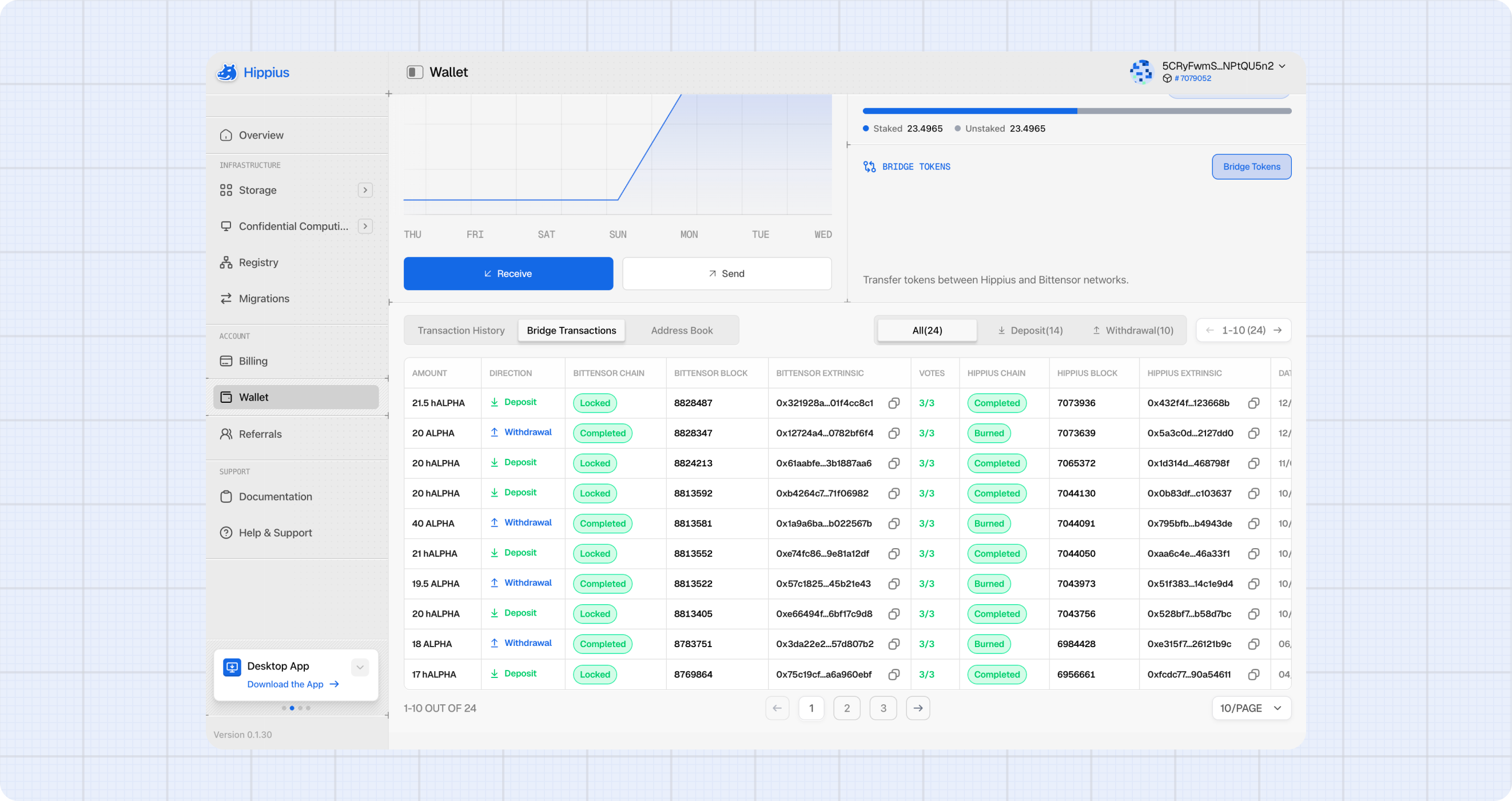
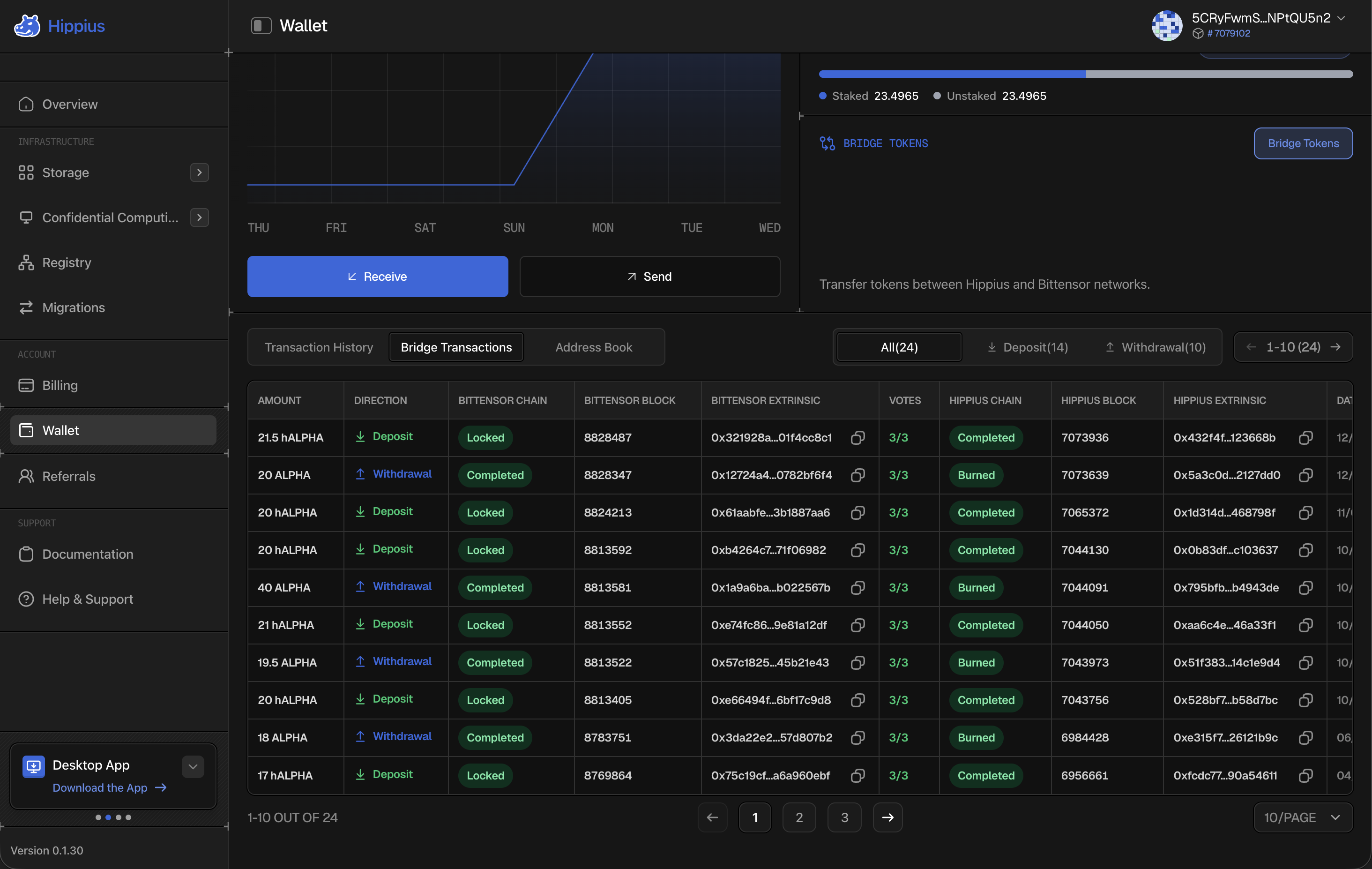
Once it finishes, every bridge operation appears in the Bridge Transactions tab at the bottom of the Wallet page. Filter it with All, Deposit or Withdrawal, each showing a count.
A bridge touches two chains, so each row carries a status, block and extrinsic for both Bittensor and Hippius, alongside the amount, direction and date. A bridge is only done when both sides have settled.
The column to watch is VOTES. It counts how many of our guardians have confirmed the transfer, and turns green once it reaches three. Until then the bridge is still in flight, however settled the source chain looks.
Following a bridge on the explorer
Everything here is public, so you never have to take our word for a bridge having settled. hipstats.com publishes the same data straight from the chain:
- Bridge: every bridge on the network, filterable by deposit or withdrawal, with the guardian votes and both chains' blocks and extrinsics. The same columns you see here, for everyone.
- Accounts: search your own address and open the Bridge tab to see only your bridges, and the Stake tab for your staking history.
- Analytics: the Alphanomics tab charts bridge flows across the network over time, including how much Alpha is locked and how it moves between the two chains.
Both extrinsic columns in the table link out too: the Bittensor one to taostats, the Hippius one to hipstats.
Regular hAlpha transfers are not shown here. Those live in the Transaction History tab, covered in the Wallet guide.
Troubleshooting
The bridge failed partway through. We report which step failed. Because Add Proxy and Remove Proxy are separate transactions, a failure between them can leave the proxy in place. Retrying is safe, we re-run the flow from the start.
Nothing arrived after the estimated time. Check the Bridge Transactions tab. If the Bittensor side settled but VOTES is below 3, guardians are still confirming. If the Bittensor side never settled, the deposit did not go through and nothing was taken.
My Alpha is not where I expected it. Bridging hAlpha out returns Alpha as stake on Bittensor. There is no free Alpha balance on Bittensor, so unstake it there if you need it liquid.
Where to next
- Wallet: balances, sending, receiving and transaction history.
- Staking: put bridged hAlpha to work.
- Bridge Tokens: how the bridge works underneath, including the guardian network.